> ## Documentation Index
> Fetch the complete documentation index at: https://docs.hubtalk.ai/llms.txt
> Use this file to discover all available pages before exploring further.
# The agent list and access
> The agent table, organization folders and the Visible to members setting.
# The agent list and access
## The agent list and folders
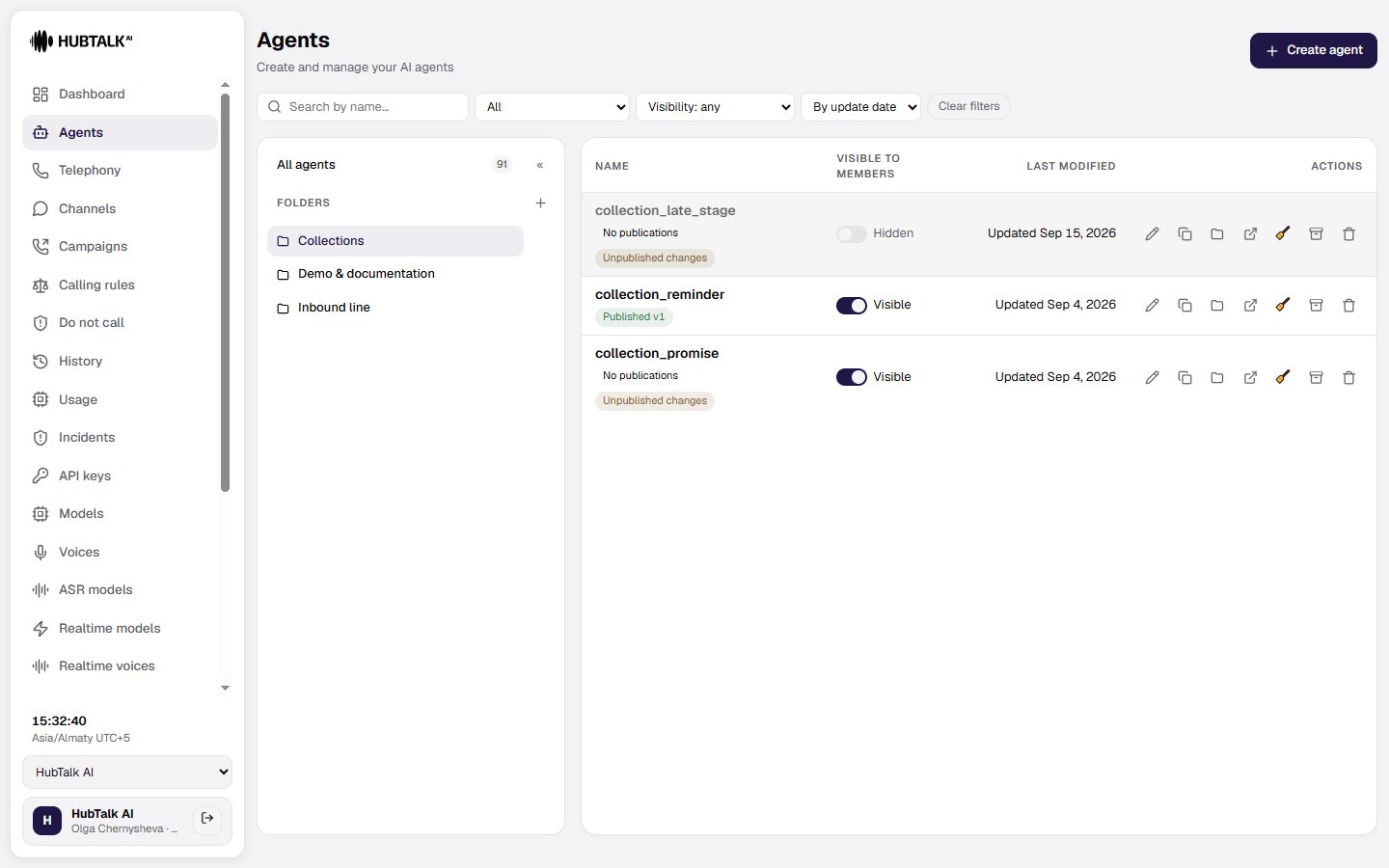
The **Agents** section is a compact table with **Name**, **Last modified**, and **Actions** columns, paginated at 25 rows. On the left is a collapsible **Folders** panel for the organization, with an **All agents** pseudo-node and a counter.
* **New folder** — create a folder; folders are visible only inside their own organization.
* **Move** — a row action on the agent: move it into a folder or return it to All agents.
* An agent created while a folder is selected, and a duplicate of an agent from a folder, both land in that folder.
**A folder is workspace arrangement, not a property of the agent.** Moving an agent does not create a flow version and does not change edit attribution. Deleting a folder returns its agents to All agents and deletes none of them. A link to a deleted folder opens All agents without an error.
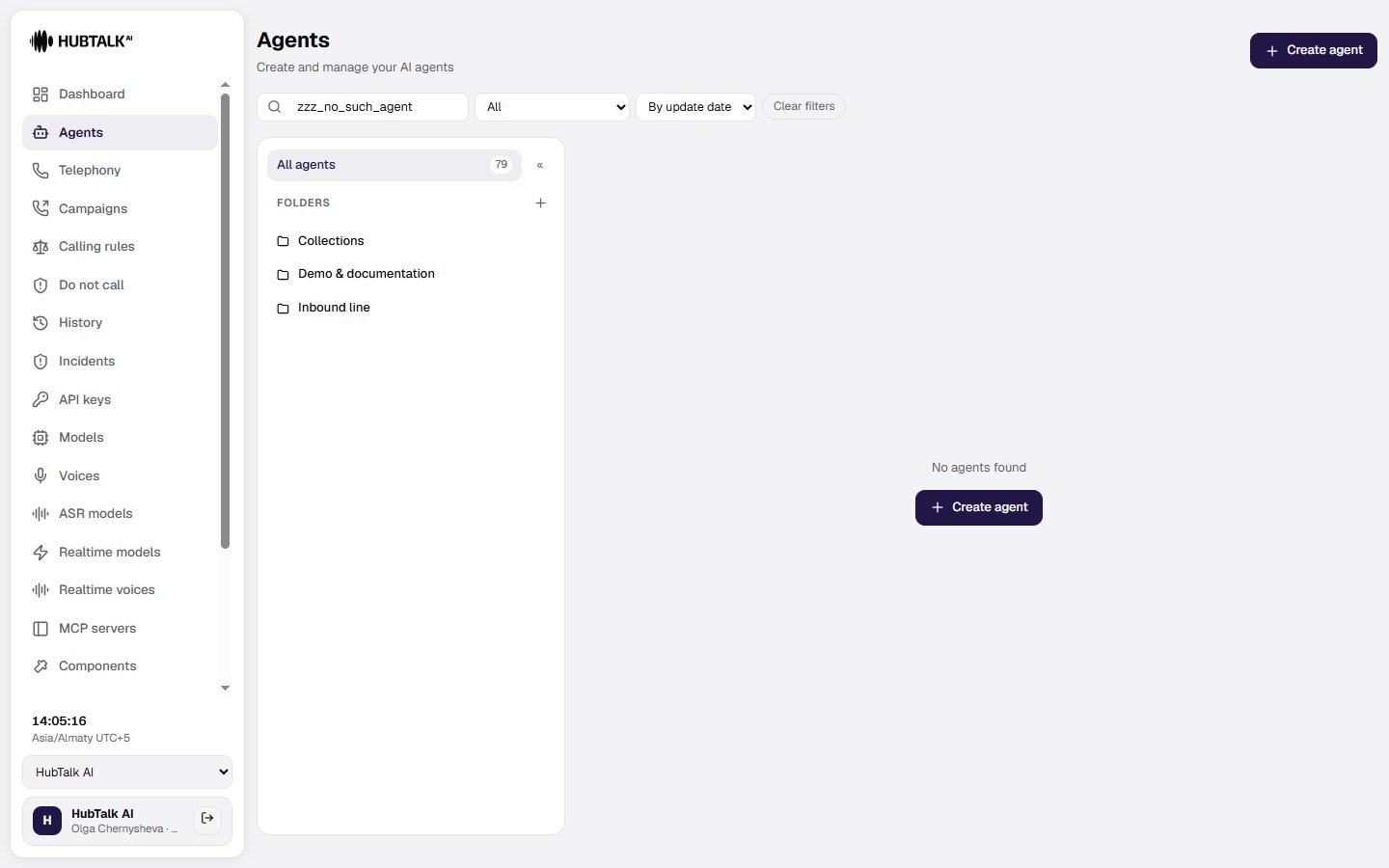
The empty list distinguishes two cases: the organization has no agents yet — or nothing matches the current search and filter.
**Renaming an agent carries its settings with it.** The agent's webhook endpoints, its component and observer bindings, its phrase fixups and **its campaigns in every state** all follow the new name in the same operation.
**An agent with active campaigns cannot be deleted or archived.** If the agent has scheduled, running or paused campaigns, the platform refuses and lists the ones in the way — on every entry point, including the editor.
 ## Who sees the agent
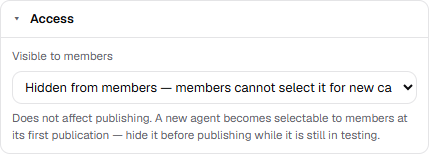
An organization accumulates drafts, old copies and test agents, and a [member](/v4/platform/roles) choosing an agent for a campaign could not tell a working one from a rough sketch — the list offered all of them. **Visible to members** is the explicit answer to that: the column in the agent list carries a toggle, and the same switch sits in the **Access** section of the settings panel in the builder, with a **Hidden from members** pill in the toolbar while it is off. The setting saves immediately and does not touch the draft.
Hidden means hidden from the **choice**, not switched off:
* a hidden agent keeps making and taking calls, and stays available through the [Web API](/v4/web-api) — campaigns already running on it are not interrupted;
* members do not see it in the campaign wizard or the campaign dialog — the option is absent rather than greyed out;
* administrators and developers see every agent, with a `· Hidden from members` suffix on the option;
* the agent filters in History and Incidents list hidden agents too. Finding the old calls of an agent you have withdrawn is not the same act as choosing one for a new campaign.
A campaign that was assembled before the agent was hidden keeps working: the member still sees the assignment on the campaign, can rename it, reschedule it, pause and resume it. What they cannot do is **launch** it — the review step shows the blocker `agent_hidden` next to the familiar "agent not published", and choosing that agent for a new campaign is refused by the server, not just left out of the list.
**A new agent becomes selectable at its first publication.** Members are only offered published agents, so an unpublished draft is invisible to them anyway — and the moment you publish it, it appears in their list. That is why an agent still being built is hidden **before** the first publication rather than after. A duplicate inherits the setting of the agent it was copied from, so a copy of a hidden test agent does not surface on its own; renaming keeps it.
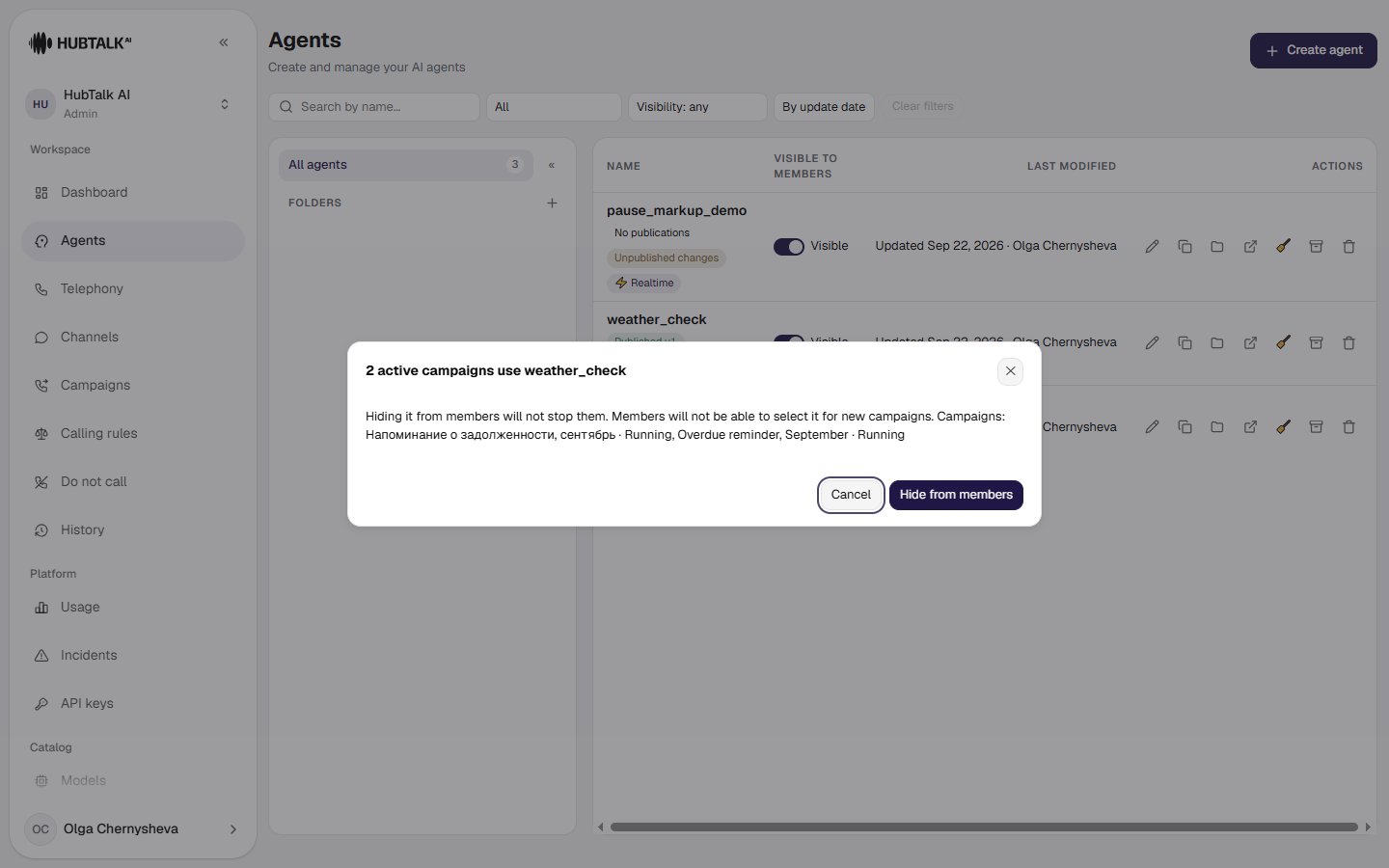
Hiding an agent that has active campaigns asks for confirmation and names them: hiding does not stop a single one of them, it only takes the agent out of the choice for new ones.
## Who sees the agent
An organization accumulates drafts, old copies and test agents, and a [member](/v4/platform/roles) choosing an agent for a campaign could not tell a working one from a rough sketch — the list offered all of them. **Visible to members** is the explicit answer to that: the column in the agent list carries a toggle, and the same switch sits in the **Access** section of the settings panel in the builder, with a **Hidden from members** pill in the toolbar while it is off. The setting saves immediately and does not touch the draft.
Hidden means hidden from the **choice**, not switched off:
* a hidden agent keeps making and taking calls, and stays available through the [Web API](/v4/web-api) — campaigns already running on it are not interrupted;
* members do not see it in the campaign wizard or the campaign dialog — the option is absent rather than greyed out;
* administrators and developers see every agent, with a `· Hidden from members` suffix on the option;
* the agent filters in History and Incidents list hidden agents too. Finding the old calls of an agent you have withdrawn is not the same act as choosing one for a new campaign.
A campaign that was assembled before the agent was hidden keeps working: the member still sees the assignment on the campaign, can rename it, reschedule it, pause and resume it. What they cannot do is **launch** it — the review step shows the blocker `agent_hidden` next to the familiar "agent not published", and choosing that agent for a new campaign is refused by the server, not just left out of the list.
**A new agent becomes selectable at its first publication.** Members are only offered published agents, so an unpublished draft is invisible to them anyway — and the moment you publish it, it appears in their list. That is why an agent still being built is hidden **before** the first publication rather than after. A duplicate inherits the setting of the agent it was copied from, so a copy of a hidden test agent does not surface on its own; renaming keeps it.
Hiding an agent that has active campaigns asks for confirmation and names them: hiding does not stop a single one of them, it only takes the agent out of the choice for new ones.