> ## Documentation Index
> Fetch the complete documentation index at: https://docs.hubtalk.ai/llms.txt
> Use this file to discover all available pages before exploring further.
# Incidents
> Review and investigate incidents affecting HubTalk AI v4.
# Incidents
The **Incidents** page lists events that may affect agents, calls, campaigns or integrations. Use it to understand what happened, when the problem started, and whether it is still active.
## What incidents are
Incidents are events detected by background observers during conversations. They help the team find situations that require review, such as an agent going off topic or a caller's speech becoming unintelligible.
The page is used for triage and review. It does not change the conversation by itself; it shows the detected event and the current reaction or correction status.
## What the user sees
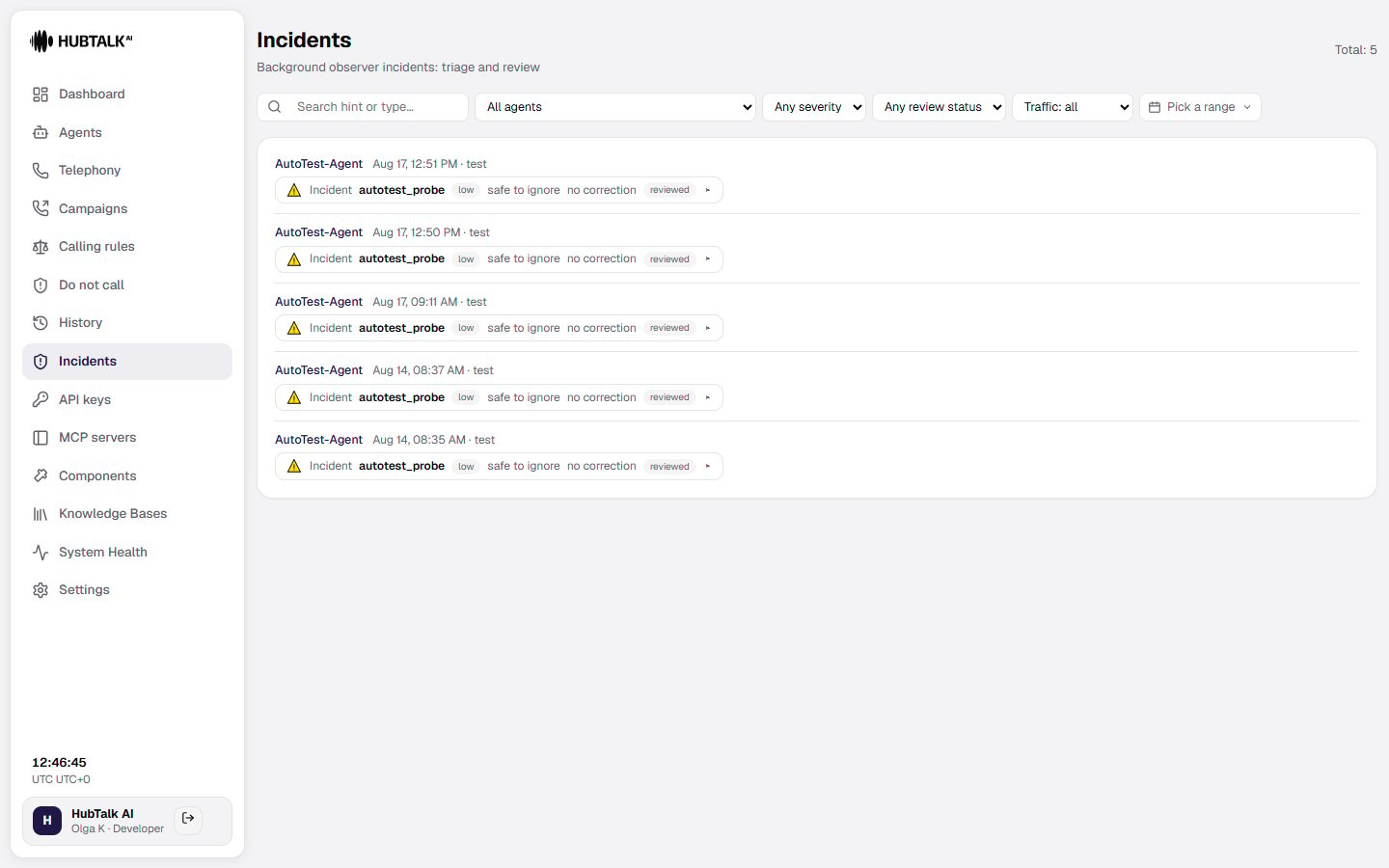
At the top of the page, the user sees the total number of incidents and filters:
* **Search hint or type** — search by the incident hint or event type.
* **All agents** — show incidents for a selected agent. The list holds live agents only: deleted and archived ones are gone from it.
* **Any severity** — filter by severity.
* **Status** — filter open or other incident states.
* **Real calls only** — exclude incidents from test calls.
* **Date range** — select the period to review.
Each incident row shows:
* the agent name, date, time, and call mode such as live
* the incident label and event key, such as `off_topic_counter` or `unintelligible_speech`
* the severity badge, for example high
* the observer's hint or recommended instruction
* the reaction status, such as no correction
* whether the incident is open
* a control to open the incident details
Use the list to prioritize open high-severity incidents, understand the observer's reasoning, and decide whether the conversation or agent configuration needs correction.
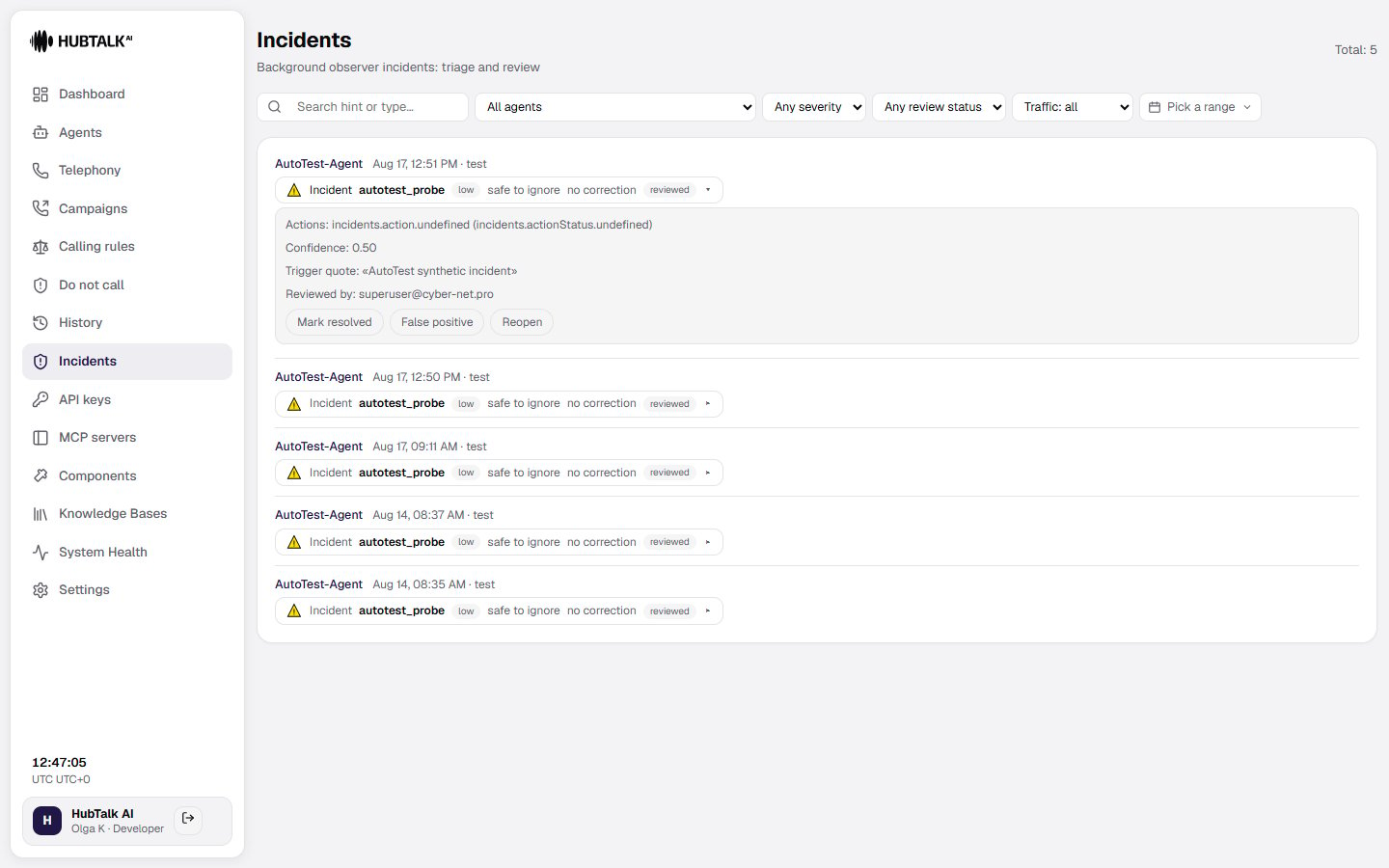
 Expand a row to see its full detail — actions taken, detector confidence, the trigger quote, who reviewed it, and controls to mark it resolved, flag it as a false positive, or reopen it.
 ## Incidents inside a call
Open a call's details to see incidents in the context of the conversation:
* An incident sits **at the very turn that triggered it** — as its own block between the utterances, not in a list of its own. The block shows the incident type, the severity, the observer's hint, and whether a correction reached the agent.
* The **Background observer** panel gathers all observer activity for that call: the number of checks performed, violations detected, and incidents raised, together with a timeline of every observer event during the call.
## Incident review
For each incident, review:
* the affected service or workflow
* incident severity and current status
* start time and latest update
* affected agents, calls, or campaigns
* the reason and available resolution details
Use incidents together with **History & reports** when investigating failed calls, delayed analytics, or webhook delivery problems.
## Incidents inside a call
Open a call's details to see incidents in the context of the conversation:
* An incident sits **at the very turn that triggered it** — as its own block between the utterances, not in a list of its own. The block shows the incident type, the severity, the observer's hint, and whether a correction reached the agent.
* The **Background observer** panel gathers all observer activity for that call: the number of checks performed, violations detected, and incidents raised, together with a timeline of every observer event during the call.
## Incident review
For each incident, review:
* the affected service or workflow
* incident severity and current status
* start time and latest update
* affected agents, calls, or campaigns
* the reason and available resolution details
Use incidents together with **History & reports** when investigating failed calls, delayed analytics, or webhook delivery problems.