

Compatibility registry
A compatibility registry is the list of scripts of one adapter account. Each script defines:- which V4 agent answers the script name from the client’s request;
- how to parse the fields of a request row and which of them become agent variables — see Fields and variables;
- which rules to use for calling back — see Retry rules, saving and editing;
- which trunk to dial through — see Dialing binding.
How the registry relates to a request
A V2 client sends the adapter a request like this:- The top-level
typeis the operation:create,delete,delete_phone_number,details. data[].typeis the script name. The adapter uses it to find the registry row of this account, and only this account. The comparison is case-sensitive and character-exact.- The common row fields for the MX system are always required and come first:
phone_number(11–13 digits),type,gender_voice(male/female),language(en/ru/es). They are followed by the script schema fields in registry order. - A row with an unknown script, a script without an agent, or an archived or unpublished agent gets the error
{"line":"1", "fields":["type"]}, and the whole request is refused before anything is written.
cname, start hour and minute, day, attempts”. Repeated requests with the same attributes on the same day add rows to the same campaign in batches.
The Compatibility registries tab
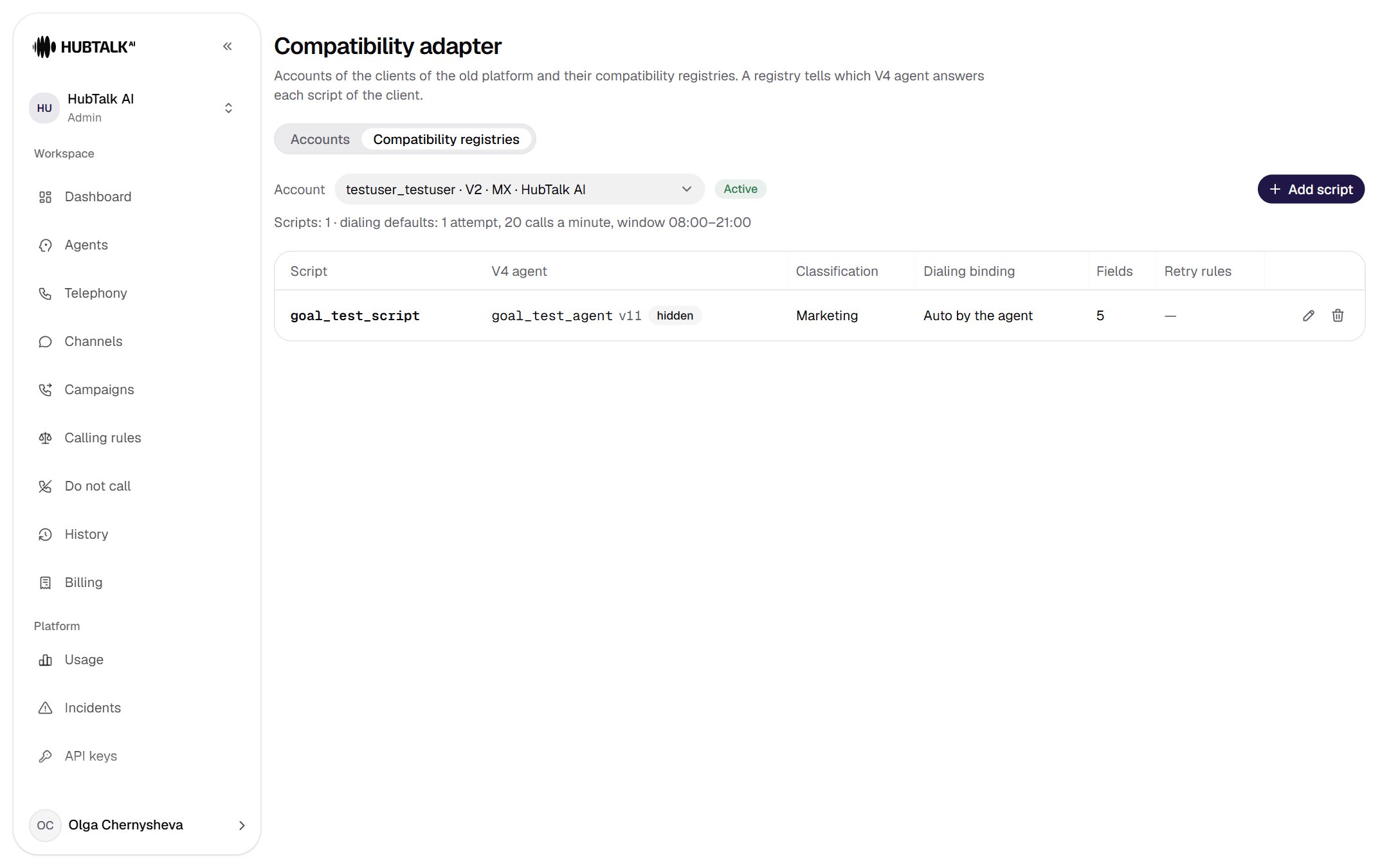
- Account selection: “login · system · organization”.
- Account status.
- Add script. For an archived organization the button is disabled.
- Summary: the number of scripts and the account’s dialing defaults.
- V4 agent with status: version, hidden, archived, not published, no agent.
- Dialing binding: Auto by the agent or “trunk · subgroup · number”.
- Pencil — edit, trash can — delete with confirmation.
data[].type field of the request of the client” and the Add script button.
The Script and agent tab
The Add script button opens the New registry script window with four tabs: Script and agent, Fields and variables, Retry rules, Routing. The summary, the refusal text and the buttons are always visible at the bottom of the window.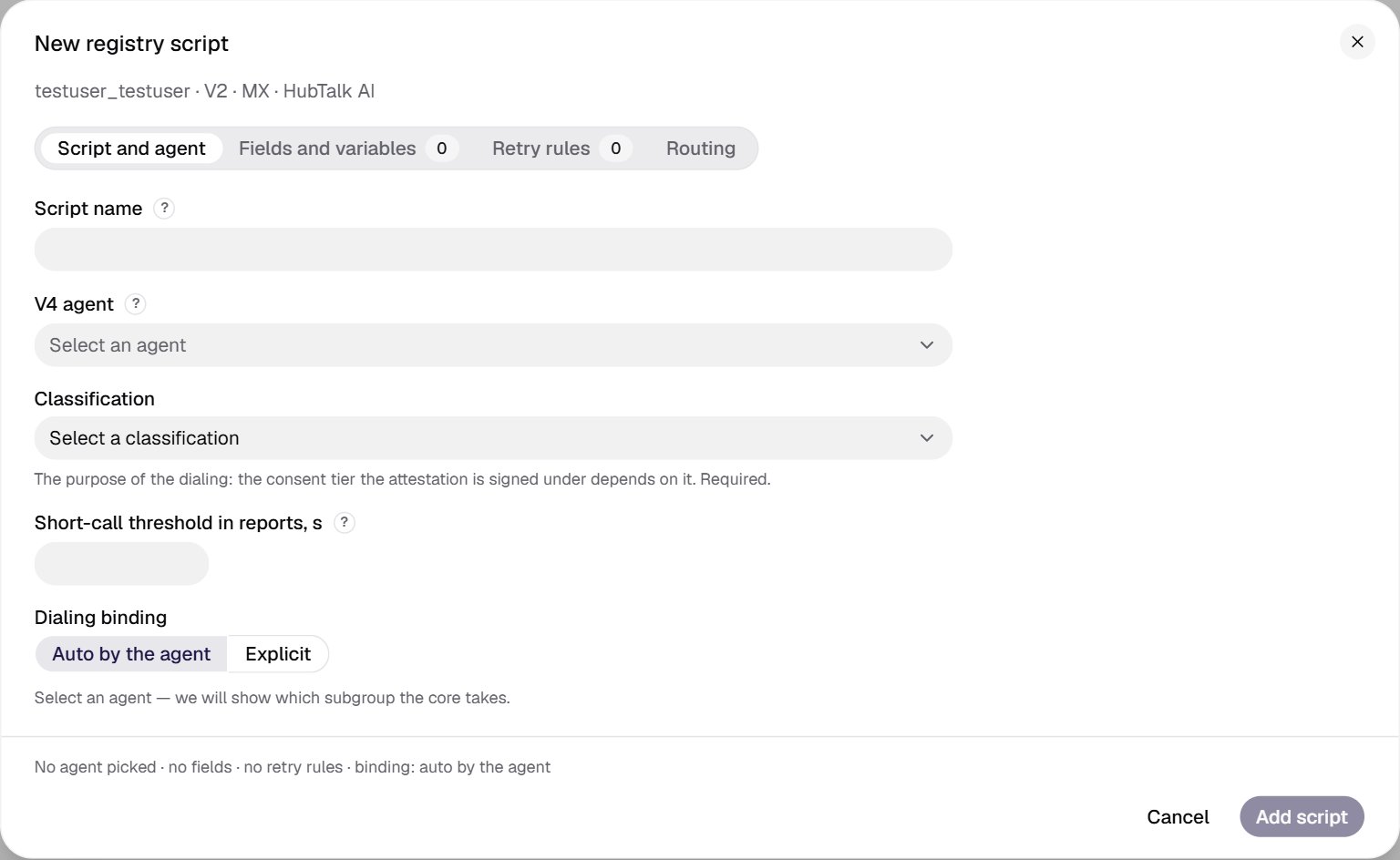
- Script name — exactly as in
data[].type; case matters. - V4 agent — only published agents of the account organization.
- Classification — the purpose of dialing; required.
- Short-call threshold for the V2 report; empty means 15 seconds.
- Dialing binding: Auto by the agent or Explicit.
- Summary: what the agent gets, rules, binding.
- Add script is disabled while something is not filled in; its hint says what exactly.
1
Script name
Exactly as in the
data[].type field of the request. Case matters: Soft_Script and soft_script are different scripts. Up to 100 characters. Leading and trailing spaces are kept as is, and the cabinet warns about it: the client’s requests must then arrive with the same spaces. The name is unique within the account.2
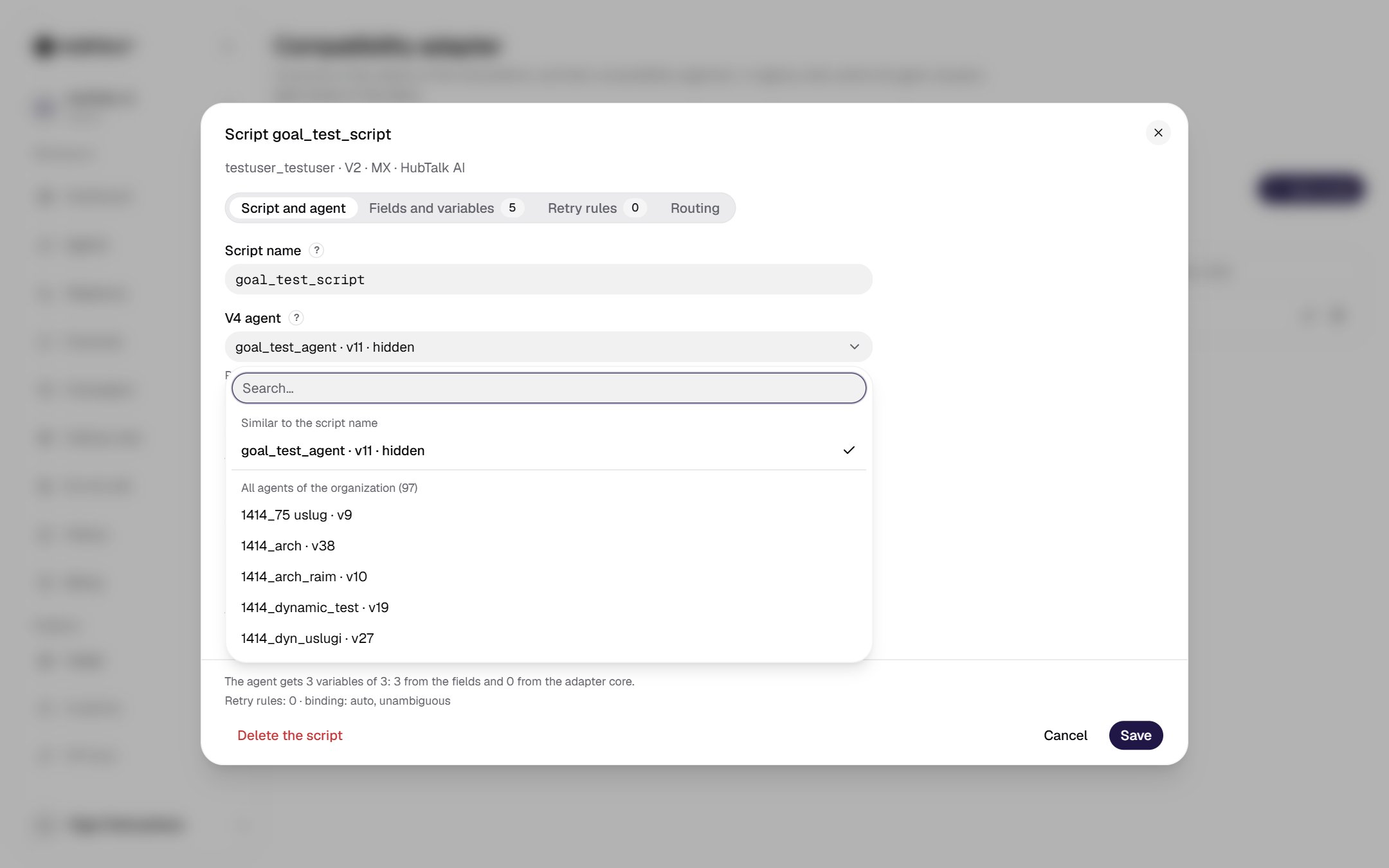
V4 agent
The list opens on top of the window. At the top is the Similar to the script name group — up to five agents matched by name; below is All agents of the organization. Only published agents of the account organization fit; hidden ones fit too. After you select one, the field shows: “Published version vN. The variable map is checked against it; a new publication of the agent does not re-check the script.”
3
Classification
Marketing, Servicing or Debt collection. Required: it determines the consent tier under which the campaign launch attestation is signed.
4
Short-call threshold in reports, s
From 1 to 300; empty means 15, as in V2. The
details export counts a conversation shorter than the threshold as “hung up”. It does not affect dialing.5
Dialing binding
See the next section. Auto by the agent is usually enough if the agent has exactly one subgroup in the organization.
Dialing binding
The binding defines which SIP trunk, which subgroup and which number the calls of this script’s campaigns go through. For trunks and subgroups, see Telephony.- Auto by the agent — the agent’s only subgroup in the organization is used. The cabinet shows the result right away:
- “The core takes the only subgroup of the agent — …” — all is well;
- “The agent has no subgroups in the account organization: the core will not be able to launch a campaign”;
- “The agent is bound to N subgroups … Set the binding explicitly”.
- Explicit — three fields: SIP trunk, Subgroup (only those the agent is bound to) and Caller ID (By subgroup policy or a specific number from its pool). Changing the trunk resets the subgroup and number.
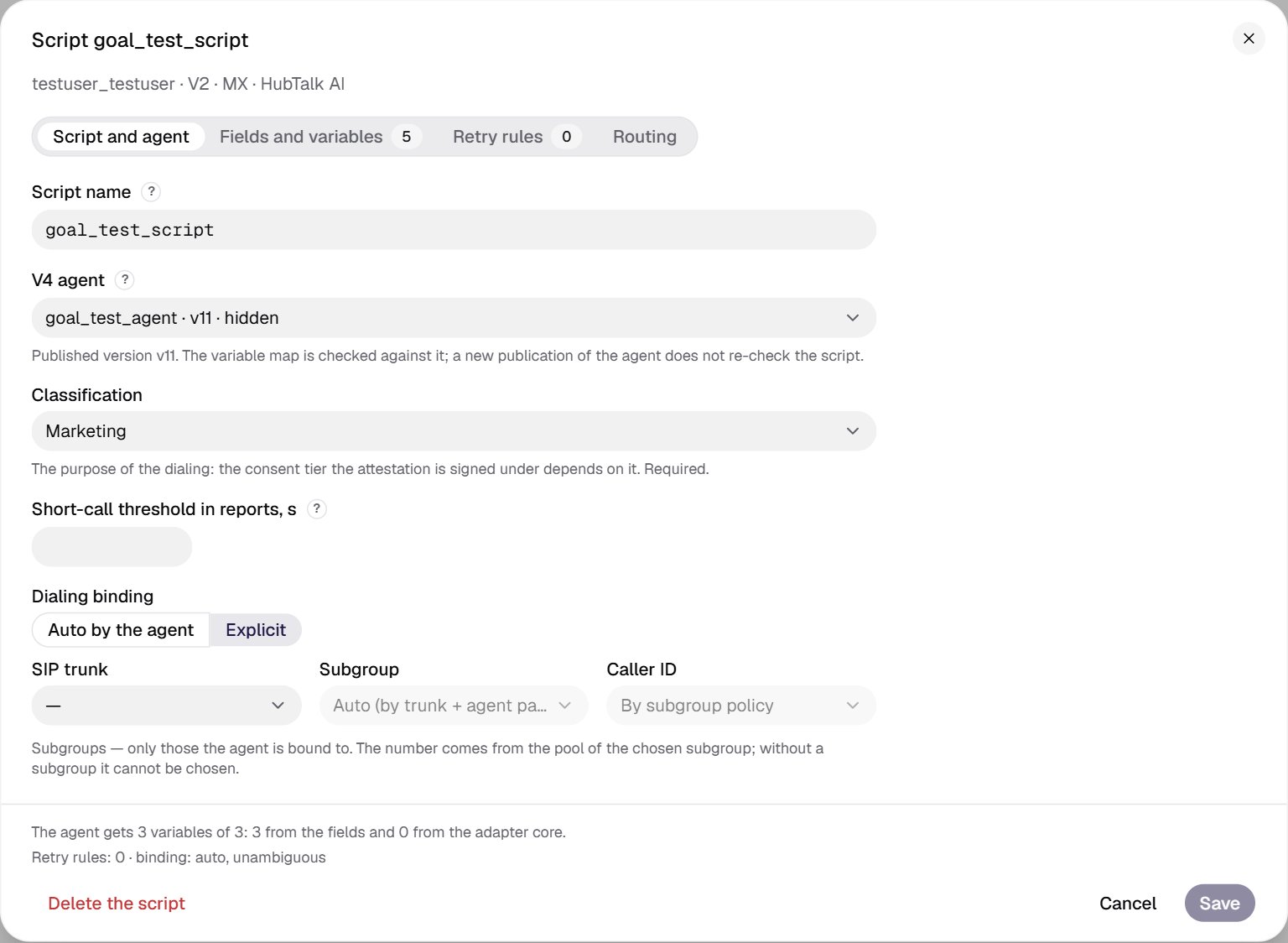
- The Auto by the agent / Explicit switch.
- Organization SIP trunk.
- Subgroup — only those bound to the agent.
- Caller ID from the subgroup pool or by its policy.
- The summary shows the binding kind: auto, unambiguous, auto, ambiguous, auto, no subgroups, explicit, ….