

Contacts, calls and reports
Contacts and withdrawals
The Campaign contacts block on the campaign card: search by number, by contract group, and a third field, Search by adapter contact ID (exact match). Clicking a row expands it: at the top are Adapter contact ID and External ID (foreign_id), below are the contact variables. The link from the call overview opens the card with the search field already filled in and the row expanded.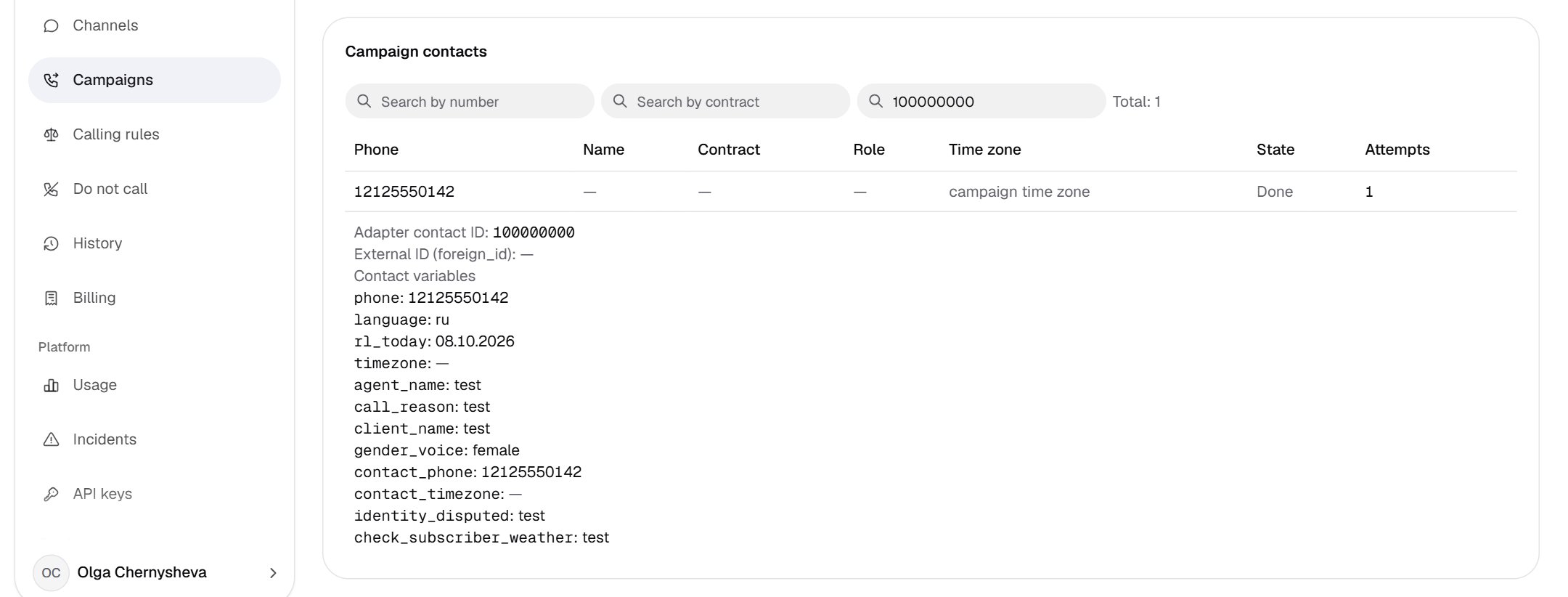
- The Search by adapter contact ID field: digits only, exact match.
- Contact state and hold reason: “Waiting · Outside working hours · Retry no earlier than: …”.
- Expanded row: adapter contact ID and external ID (
foreign_id). - Contact variables: fields from the script map and
rl_today.
One contact — several IDs. If the client sends the same number to the same campaign again, the row goes in as the next batch and gets a new ID. Such a contact has several adapter IDs: the call overview shows the smallest one, and search finds the contact by any of them.
History and call overview
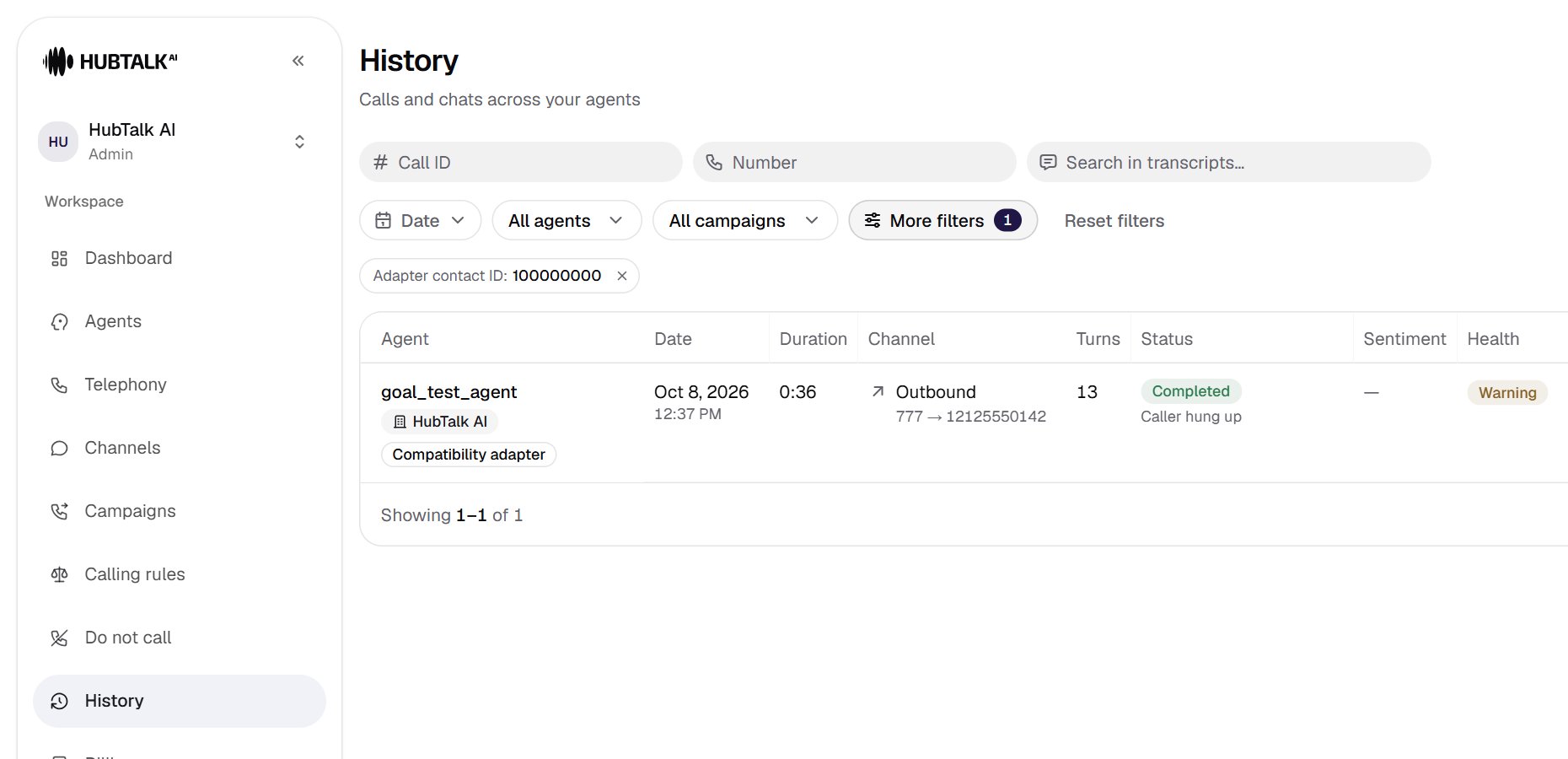
- More filters with a counter of applied filters.
- The Adapter contact ID: … chip; clicking it opens the filter panel on this field, the cross removes the filter.
- The Compatibility adapter badge under the agent name for calls of an adapter campaign.
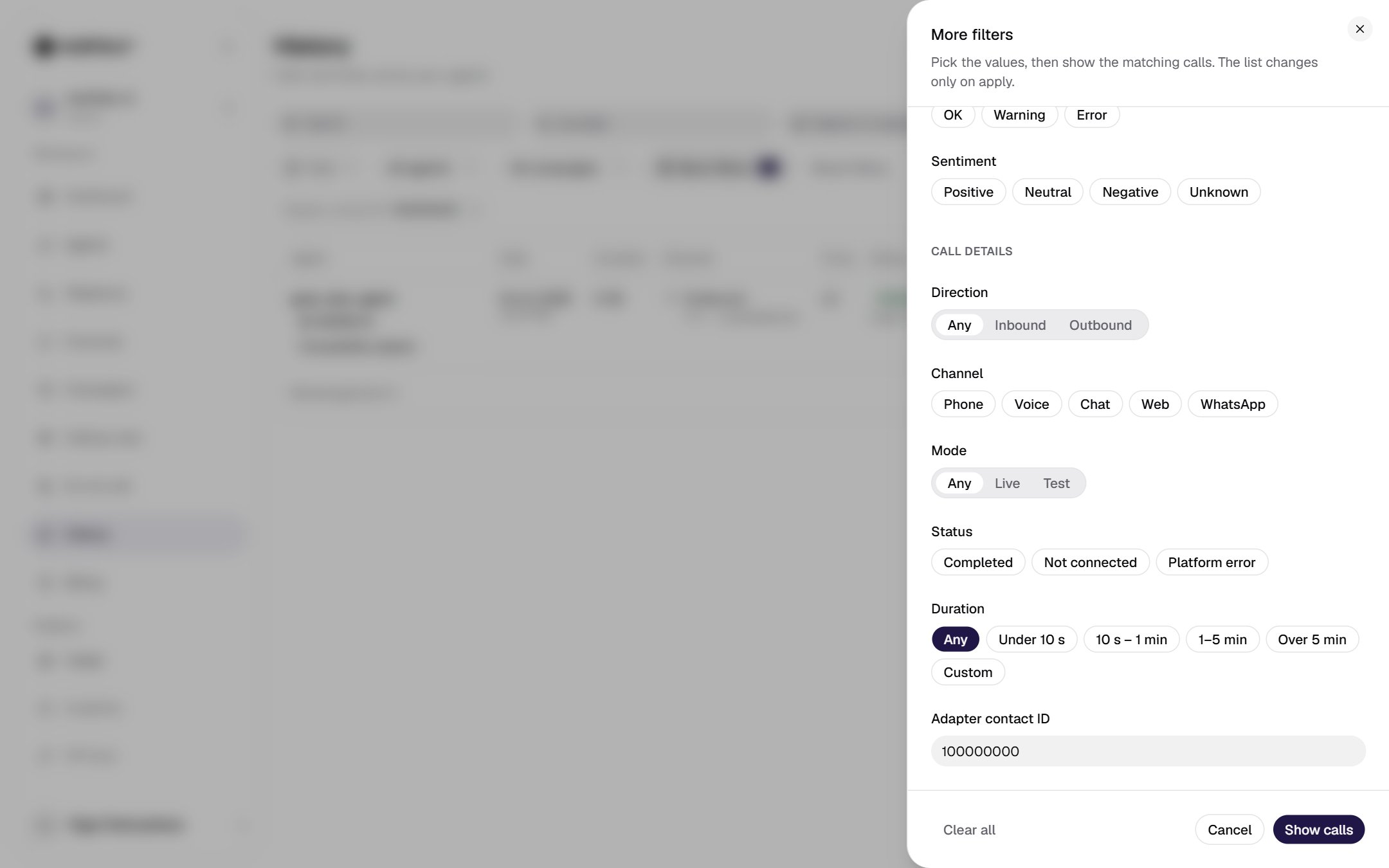
- The Adapter contact ID field is last: digits only, exact match; applied with the Show calls button. The same filter carries over to the report export panel.
- Overview → the Compatibility adapter section: the account with its system, the registry script, the contact ID and the Open the contact in the campaign link — it switches the organization and opens the campaign card with the contact row expanded.
- Data → Variables passed to the agent: the final set of call variables, including
rl_today, fields from the map and platform variables (today,call_date,from_number…). Here too are Webhook deliveries with attempts and a retry button. - Transcript → function events before and after the call, the
call_decisiondecision, observer incidents.
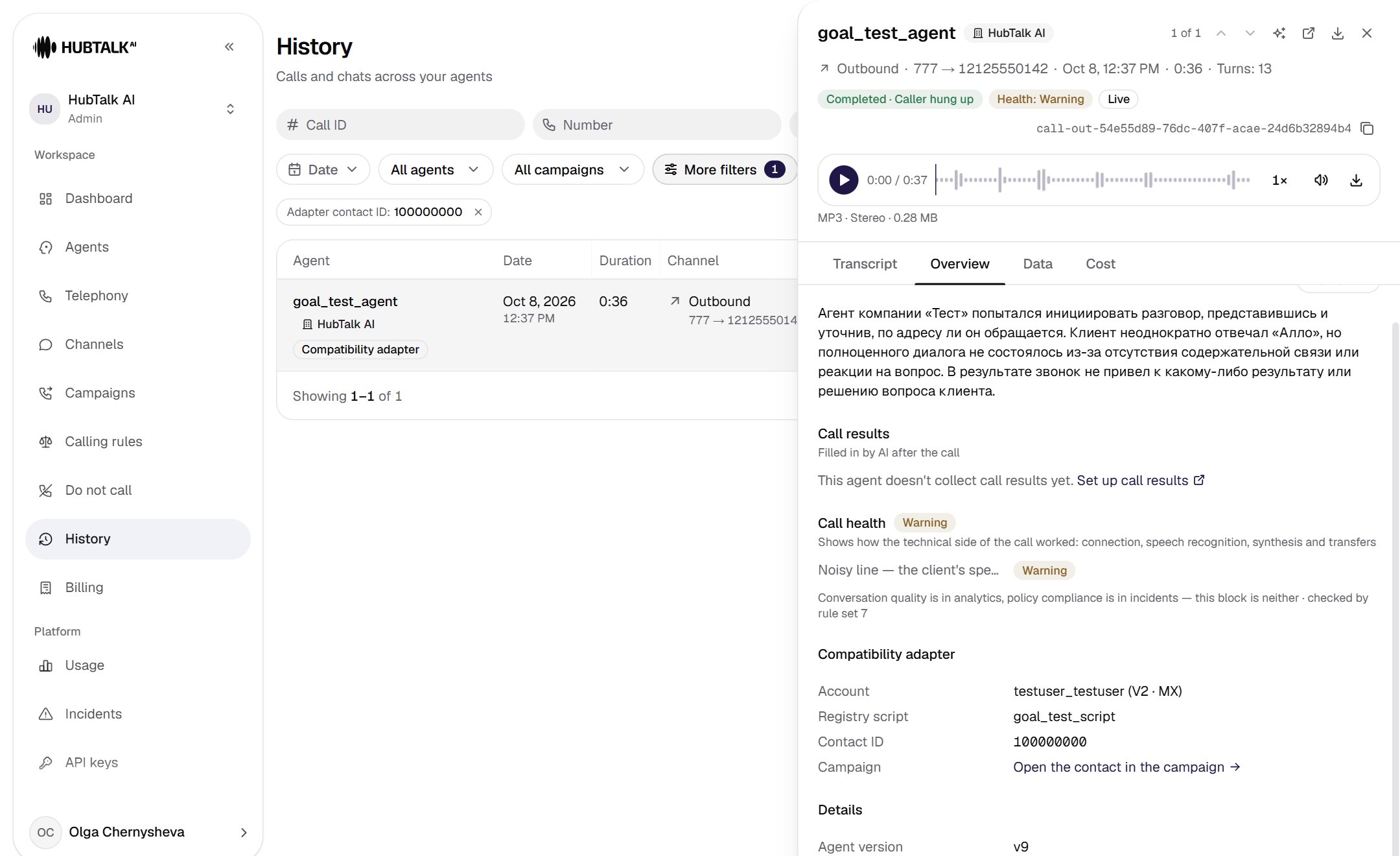
- Call panel tabs: Transcript, Overview, Data.
- The Compatibility adapter section: account, registry script, contact ID.
- Open the contact in the campaign: switches the organization and opens the card with the contact row expanded.
- The badge in the list row for calls of an adapter campaign.
Reports and the daily export
- The call report builder has the columns Adapter contact ID and Registry script. The Adapter contact ID filter from history carries over to the export panel and is restored by the Change and export button. See Reports.
- The client’s
detailsoperation returns the daily export using the template from the account: only calls of this account’s adapter campaigns, with the day by the organization’s time zone. Without a template, the client gets “The export template configuration is missing or invalid”.