

Demo links
A demo link is a temporary address that opens a conversation with one of your agents in the recipient’s browser. They click it and talk. No account, no API key, no setup on their side — which makes it the fastest way to show an agent to a prospect, a colleague or a client.Creating a link
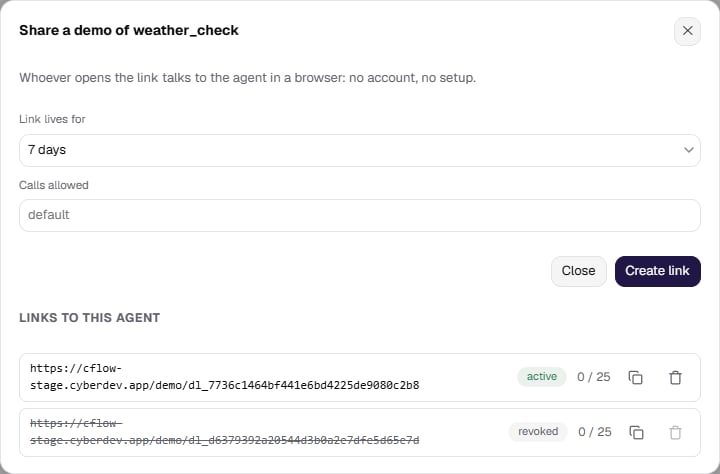
Open the agent and use Share. The panel asks for two things:- Link lives for — 1 hour, 24 hours, 7 days (the default) or 30 days.
- Calls allowed — how many conversations the link may start in total. The platform default is 25, and the ceiling is 200.
Only a published agent can be shared. A link to an unpublished agent cannot place a call at all, so the platform refuses to create one — while you can still publish the agent and try again.
What the recipient sees
The page opens with the agent’s name, a short form with the call details, and a Start call button. Starting the call asks the browser for the microphone; if there is no microphone, or permission is denied, the visitor can continue in chat without audio.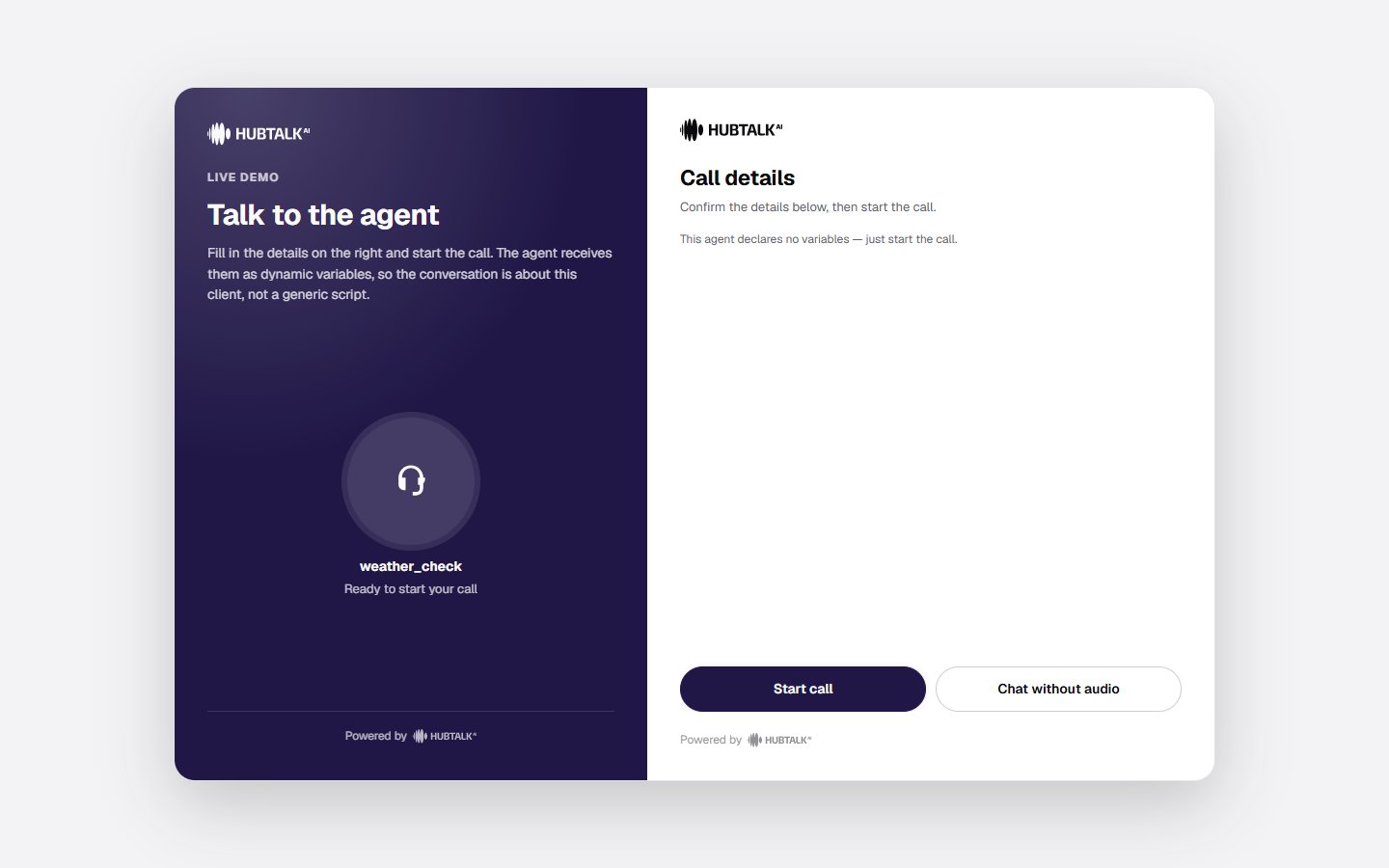
Limits that keep the link contained
A demo link is a credential handed to someone outside your organization, so its blast radius is limited by design:- One link, one agent. It cannot reach anything else in your organization.
- A call ceiling and an expiry, both enforced atomically — a link cannot overrun its cap under concurrent use.
- One conversation at a time. While a call is running, the link is busy and the next visitor is asked to try again in a minute.
- Revocation at any moment. Revoking is immediate and cannot be undone: whoever holds the link can no longer call.
Demo calls in the history
A conversation from a demo link lands in History as an ordinary call, and you find it there with the All channels → web filter. A demo runs in the recipient’s browser, so the platform records it on theweb channel rather than phone.
The
web channel is not only demos. It also holds conversations from the widget on your site and from your own code on the browser SDK — everything that arrives from a browser rather than over a telephone line. If you use both, the channel filter narrows the list to browser calls but will not separate a demo from a widget call; filter by agent as well, since a demo link is always issued for a single agent.Embedding the conversation in your own site
A demo link is a ready-made page. When you want the same conversation inside your own product instead, use the browser SDK, published as@hubtalk-ai/web-sdk — a thin wrapper over the web call endpoint of the Web API.