

Pre- and post-call functions
A call function is a request the agent makes into your system around the conversation, not inside it. There are exactly two points:- before the call — the result lands in dynamic variables, so the agent knows it from its first word;
- after the call — once at finalization, with the final variables, the call summary, and the post-call analysis result.
There are no “during the conversation” functions here. Anything the agent needs to ask mid-dialogue is done by flow nodes on the canvas — Function, Code, and MCP Tool. This page covers only what happens before the first word and after the last one.
What this is for
Before the call. A campaign dials debtors. Before dialing, the agent looks up the name and the amount in billing. The person picks up and immediately hears: “Hello Alice, your balance for August is 12,400 tenge.” Without this the agent would either stay silent for a few seconds while the request runs, or speak impersonally. After the call. The conversation is over. The agent closes the ticket in the CRM, sends a summary to the manager in a messenger, and creates a task for an operator — but only if the call was actually successful.When exactly they run
When the “before the call” block runs depends on the direction.
The gap between 60 and 10 seconds is not arbitrary. On an outbound call the request runs before the number is dialed: the phone is not ringing yet, there is no silence on the line, so there is more time. On an inbound call the person is already on the line waiting — every extra second of silence is audible.
The budget is shared by the whole block, not per function. A single function still cannot wait longer than 30 seconds, whatever the budget.
The Pipeline view
Open the agent in the builder. In the header, under Editor view, there are two buttons: Dialog and Pipeline. Click Pipeline. Instead of the dialogue canvas you get a single top-to-bottom column with the heading “Call pipeline · agent name”. The side panels are hidden when you enter this view — that is normal, they are not gone: the inspector opens when you select a function card, and the left panel opens from a configure button, from the error counter, or from the header toggle. Switching back to Dialog restores the panels as they were. The selected view is stored in the page address (?view=pipeline), so it survives a reload and the link can be shared in a ticket.

The connectors between blocks are labeled: “Call started” before the agent and “Call ended” after it.
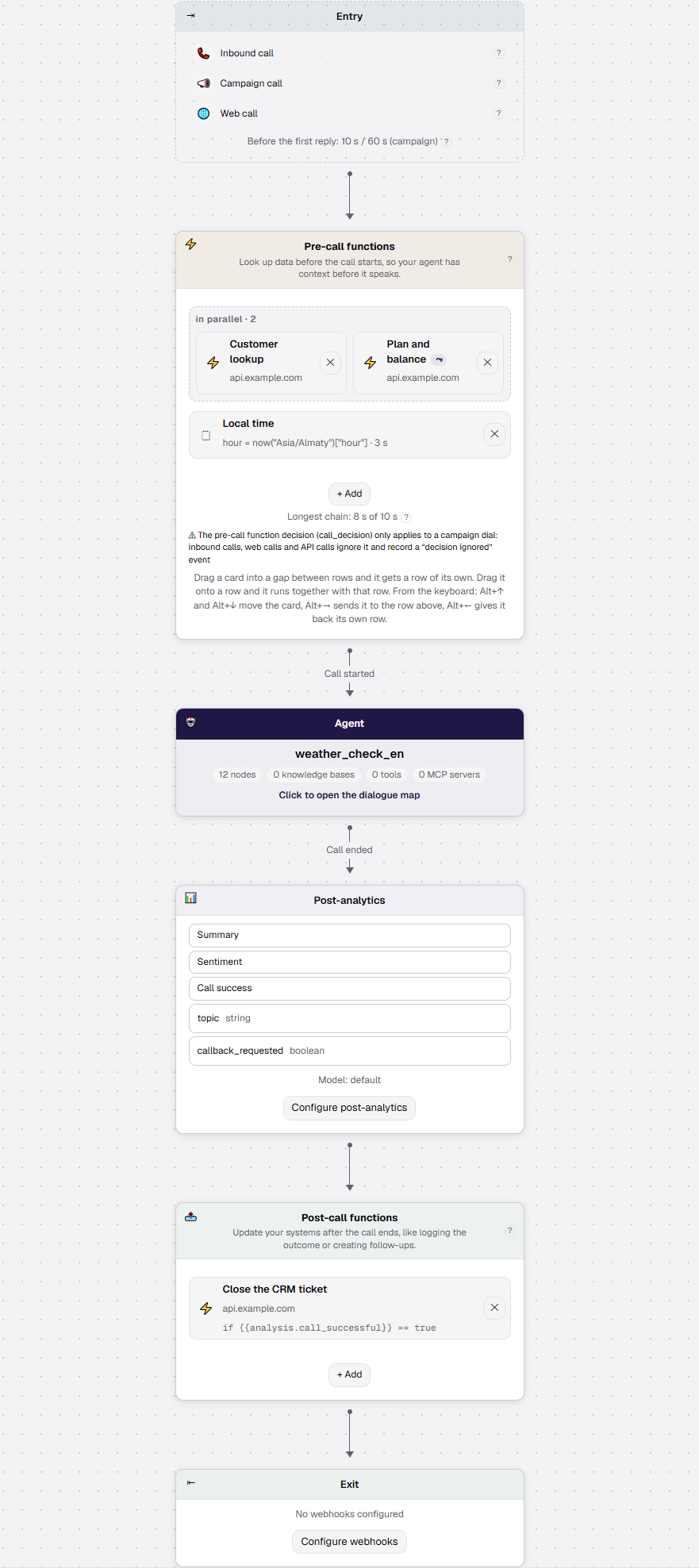
- Post-analytics and Exit carry the buttons Configure post-analytics and Configure webhooks, which open the Settings tab; the target section is highlighted for a few seconds so it is clear where you were taken.
- Agent is itself a button: clicking the card opens the Dialog view (“Click to open the dialogue map”).
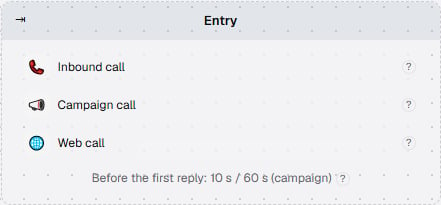
- Entry is a reference block with no actions; each channel carries a ”?” hint explaining what that channel is.
Where everything is documented
Pre-call functions
Custom and code functions, result variables, row ordering and parallelism, trial runs and late delivery.
Post-call functions
The run condition, the
call and analysis variables, waiting for post-call analysis, and testing a condition without a call.Dial decisions in a campaign
How a function cancels a dial or defers a contact before the phone ever rings, and what that does to the attempt.
The integration contract
What the platform sends, what it expects back, how the mapping works and which configuration keys exist.
History, limitations and troubleshooting
What the call event feed shows, what the mechanism does not do, and what each symptom means.