

Transfer node
The Transfer node moves the call to a human operator or another agent. It supports a direct cold transfer and a warm transfer, where the agent can brief the recipient before connecting the caller.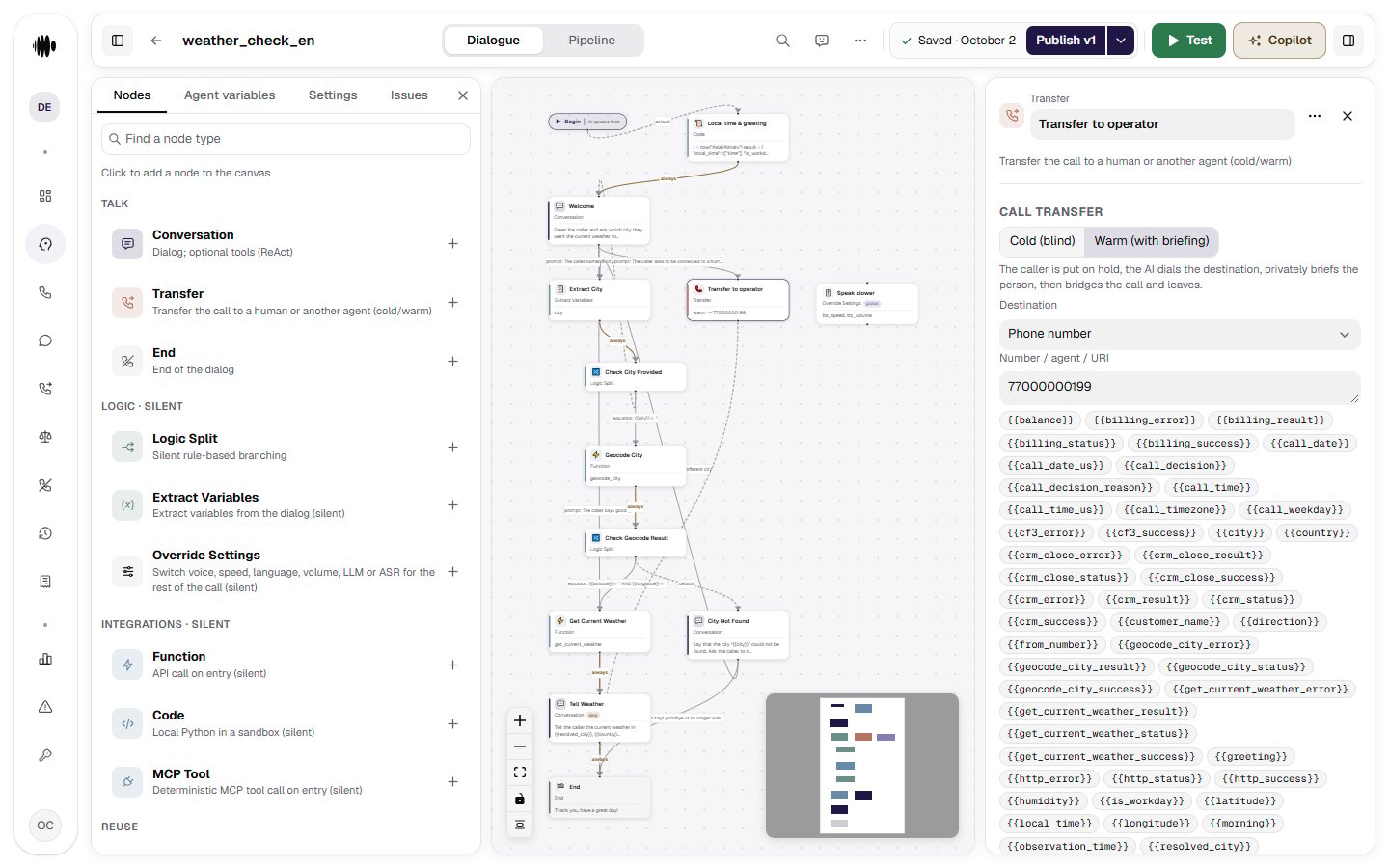
- Node name — identifies the transfer step in the flow.
- Cold (blind) / Warm (with briefing) — connect straight through, or brief the recipient first. On a warm transfer the caller is put on hold, the agent dials the destination, hands over the summary and leaves. The summary is private — it can carry the caller’s name, amounts and terms — so the agent speaks it only once the caller is confirmed to be cut off from the agent’s audio. If that cannot be confirmed, the operator is connected without the briefing, and the transfer event in the call details says operator briefing skipped.
- Who hears the briefing — on a warm transfer, Operator only (the default) or Operator and caller. With Operator and caller the caller is connected to the operator as soon as the operator answers, and both hear the briefing; it cannot be interrupted and is recorded. Use it when the briefing is something the caller may hear, for example “I’m connecting Maria about her appointment tomorrow”. In this mode the call duration and the recording include the dialing time. If the briefing could not be generated, it is skipped and the call card says so.
- Destination — select where to send the call, such as a phone number, agent, or URI. A transfer to another agent works in every channel: a phone call, a call from your website, the voice test in the cabinet, chat and WhatsApp.
- Transfer variables — use values such as
{{transfer_status}}and{{transfer_success}}to track the result of the transfer. - Signaling method — choose SIP INVITE or SIP REFER for the transfer signaling.
- Transfer ring duration — set how long the platform waits for the destination to answer. The allowed range is 1-120 seconds.
- Transfer number — which number the recipient sees: Client’s number (default), Trunk number or Custom number. A custom number has a field of its own — a number or a variable; the value must belong to the outgoing number pool of the transfer subgroup, otherwise the transfer takes the fallback edge. With SIP REFER the number goes to the SBC as a hint in the
P-Asserted-IdentityandReferred-Byheaders — whether the carrier applies it to what the recipient sees is the carrier’s decision. - SIP headers — add custom
X-*headers. Header values support variables and environment secrets. - Transfer subgroup — picks the trunk line the transfer leg or REFER goes out on: its caller pool, limits, allowed destinations and REFER form. “Default” means the previous behaviour — the call’s own subgroup, otherwise the trunk default. If the five-digit prefix you pick is not provisioned on the call’s trunk, the dial falls back to the default subgroup and the reason shows up in History. The subgroups themselves are created in Telephony.
- Phrase before the transfer — the Speak a phrase before the transfer toggle: the node says “Connecting you to an operator…” itself, with no separate conversation node in front of it. The text is either fixed, with variable substitution, or generated from your instruction. The transfer only starts once the phrase has played in full; outside the operator schedule it is not spoken. The Do not let the caller interrupt this phrase checkbox covers every reply of the node, not just this one.
- Operator working hours — the Transfer only during working hours toggle limits handovers to a schedule. Set the Operators’ time zone — pre-filled with the organization time zone, change it if the operators sit elsewhere — and at least one row of days and hours; an enabled schedule with no rows cannot be published, and an interval that crosses midnight is written as two rows. Do not transfer in the last 5 minutes before closing keeps the node from handing over a caller nobody will pick up.
- What to say outside working hours — a fixed text or an instruction for a generated reply. An empty field means the node says nothing. The reply can use
{{transfer_next_open_time}}and{{transfer_next_open_date}}. - Call recording — the Keep recording after the transfer checkbox, off by default. By default the recording ends where the call duration ends — at the end of the conversation with the agent: the hold for a warm transfer, the start of the dial for a blind one. Turn it on to also record the caller talking to the operator: the recording then outlasts the call — mind your obligations around call recording. After a failed transfer the agent’s continued conversation with the caller is recorded and appended to the same file — see the recording in the call details.
- Failure variables — after a failed transfer
{{transfer_status}}holds the reason —no_answer,busy,rejected,transfer_ring_timeoutorerror— and{{transfer_success}}isfalse. Alongside them,{{transfer_failure_reason}}holds a technical code of why the transfer failed. Use them in fallback conditions. - Transitions — add fallback destinations for failed transfers. These transitions do not run after a successful transfer because a successful transfer is terminal for the AI.
- Global node — make the transfer reachable from any point in the flow.
- Delete node — remove the transfer step from the agent flow.
{{transfer_status}} becomes out_of_hours, {{transfer_success}} is false, the next opening is written to {{transfer_next_open_time}}, {{transfer_next_open_date}}, {{transfer_next_open_iso}} and {{transfer_next_open_epoch}}, the reply is spoken if you configured one, and the node leaves through its transitions. Give such a node a Default transition or a condition on {{transfer_status}} == "out_of_hours" — otherwise the validator warns that a call arriving outside the window has nowhere to go.
In the call history the transfer event is marked as skipped with the reason Outside working hours, so a closed window is not counted among the transfers that failed to reach an operator.
A transfer to another agent switches the voice too. When the destination is an agent, the continuation runs on the target agent’s settings: its voice and synthesis model, its languages, its silence reminders and backchannel words, and its call control limits. Silence timers start again from the first reply of the new agent.