Analytics, observers and webhooks
Post-Conversation Analytics
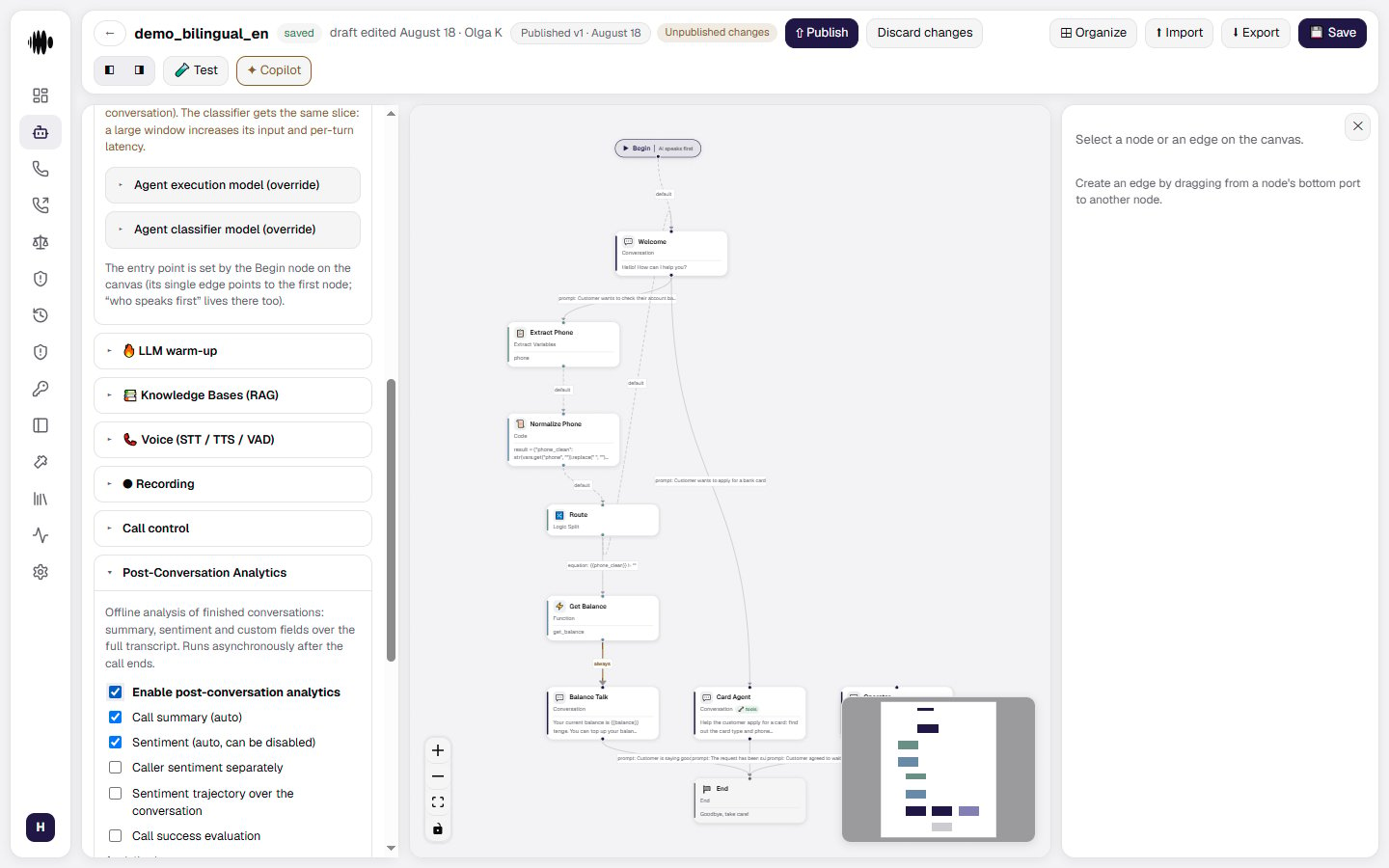
Post-Conversation Analytics runs offline after a conversation ends. It can analyze the full transcript and produce a summary, sentiment signals, custom fields, and outcome evaluations without delaying the call.- Enable post-call analytics.
- Call summary (auto) — a short account of the conversation.
- Sentiment (auto, can be disabled) — the overall sentiment of the call.
- Caller sentiment separately — a separate verdict for the customer, alongside the overall one.
- Sentiment trajectory across the dialogue — how the mood moved from turn to turn.
- Call success evaluation — whether the call met its goal; the Success criteria field below it holds the wording, for example “a meeting is booked / the customer agreed”.
- Analytics language — the language of the results. Independent of the dashboard and agent languages; an empty field means the agent’s language.
Custom extraction fields
The Custom extraction fields block adds fields of your own, pulled out of the full transcript exactly as the Extract Variables node does. + field opens the New extraction field form: Field name, Type (string, number, boolean, enum or list) and Extraction instruction — the question the extractor answers from the transcript. An enum type also gets Value choices: while there are none, the extractor has nothing to choose from, and the form says so.Analytics model
Analytics model (batch tier) is the cheaper, faster, non-reasoning model used for the bulk of the offline analysis. It inherits the system setting by default.- Override for this agent — use a model of your own instead of the inherited one.
Deep analytics model
Deep tier model (optional) is a stronger model for selected calls. The deep pass also runs offline and does not affect live call latency; it only runs for calls picked out by the triggers or by sampling.- Override for this agent — set a deep-tier model of your own.
- reasoning model (acceptable — offline) — reasoning does no harm here: nobody is waiting on the answer in real time.
Deep-tier triggers
The Deep tier triggers block decides which calls go for a second pass:- By sentiment — positive, neutral or negative.
- By outcome — completed or interrupted.
- By extracted fields — conditions on your custom fields; + condition adds a row.
- Sampling, % of calls — the share of calls sent to the deep tier regardless, from 0%.
When not to analyze a call
The When not to analyze a call block filters out empty conversations before any model is called:- Min user turns — how many times the customer had to speak.
- Min duration, sec (0 — off).
- Skip dispositions — which outcomes to leave alone: no answer, busy, voicemail, too short, silence, and the Not connected — other reasons group.
Observers
Observers continuously watch conversations and react to important events without slowing the agent down. One observer detects one event and runs actions when it happens.- From library — attaches a ready-made detector from the company library.
- New Observer — creates your own detector for this agent or for the library.
- Evaluation: shared settings — the settings common to every observer on the agent: Observer Scope (the caller’s turns only, the agent only, or the whole dialogue) and Min interval between checks, s. A value of 0 checks every turn; the more often it checks, the more model spend it costs.
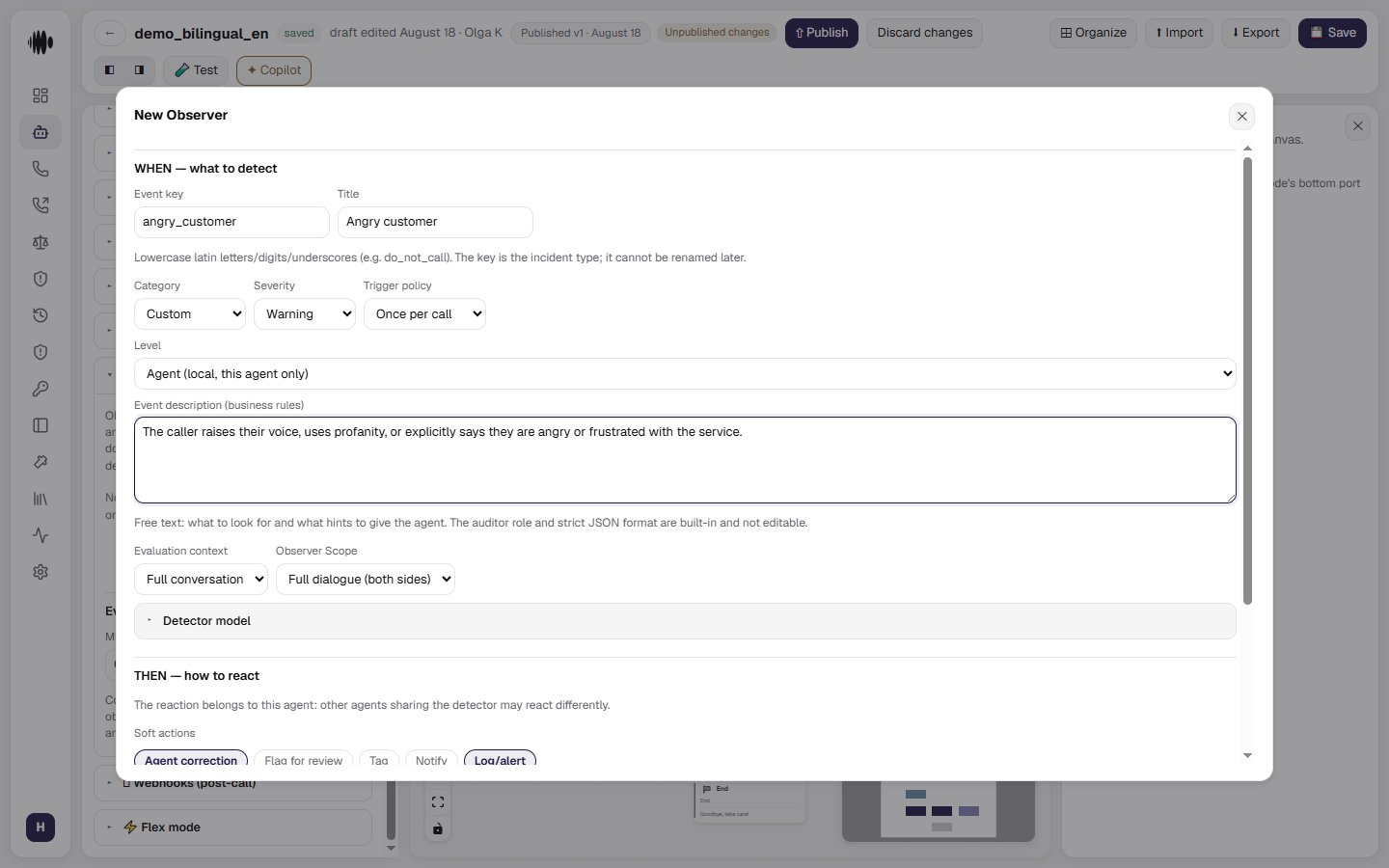
The WHEN tab — what to detect
- Event key — a unique identifier of lowercase Latin letters, digits and underscores, such as
do_not_call. It sets the incident type and cannot be renamed. - Title — a readable name for the event, shown in the interface.
- Category — Compliance, Safety, Sales, Conversation or Custom.
- Severity — Info, Warning or Critical.
- Trigger policy — once per call, or repeated detections.
- Level — Agent (local, this agent only) or Library (shared across the company).
- Event description (business rules) — free text: what to look for and what hints to give the agent. The auditor role and the strict response format are built in and need not be described.
- Evaluation context — the last turn, the last N turns, or the whole conversation.
- Detector model — the model that detects the event.
The scope is not in this form. It is shared by every observer on the agent and is set in the Evaluation block above, together with the check interval.
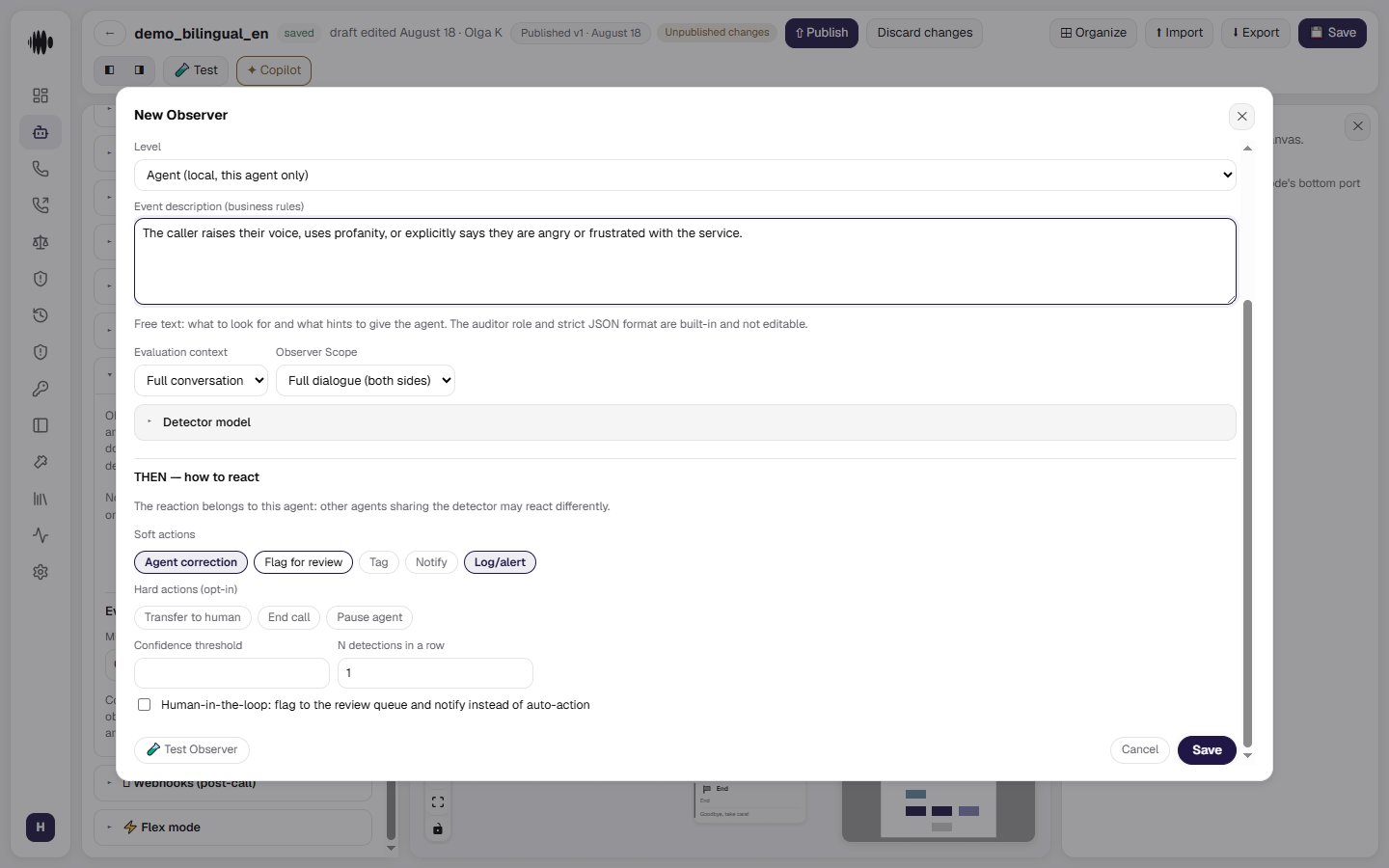
The THEN tab — how to react
The reaction belongs to this agent: other agents using the same detector may react differently.- Soft actions — reactions that do not stop the flow: agent correction, flag for review, tag, notify, log/alert.
- Hard actions (opt-in) — switched on deliberately: transfer to human, end call, pause agent.
- Confidence threshold — the minimum detector confidence at which the reaction fires.
- N detections in a row — requires the event to be detected that many times consecutively.
- Human-in-the-loop — flags the event to the review queue and notifies a person instead of acting automatically.
- Test Observer — runs the detector against a conversation to confirm that detection and reaction work.
- Save / Cancel.
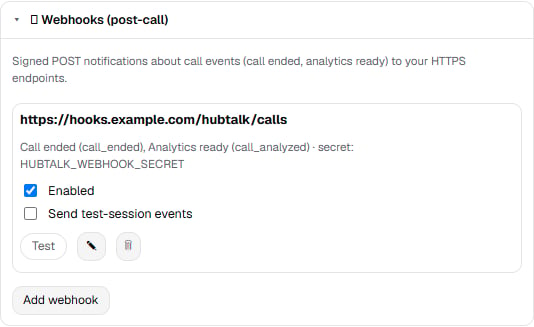
Webhooks (post-call)
The 🪝 Webhooks (post-call) section sends signed POST notifications about call events to your HTTPS endpoints. Add webhook opens the form:- Endpoint URL — the address that receives the notifications.
http://is available only to the platform owner organization. - Events — what to send: Call ended (
call_ended) and Analytics ready (call_analyzed). - Signing secret — env variable name — only the reference is stored: the value is read from the environment and never hits the database or the logs.
- Response timeout (sec) — the maximum wait for your endpoint’s response;
0uses the pipeline default. - Enabled — delivery can be paused without deleting the address.
- Send test-session events — off by default.
observer_incident event is not on this list either: it goes out mid-call when the observer that fired has a notification enabled on its THEN tab.