Recording and call control
Recording
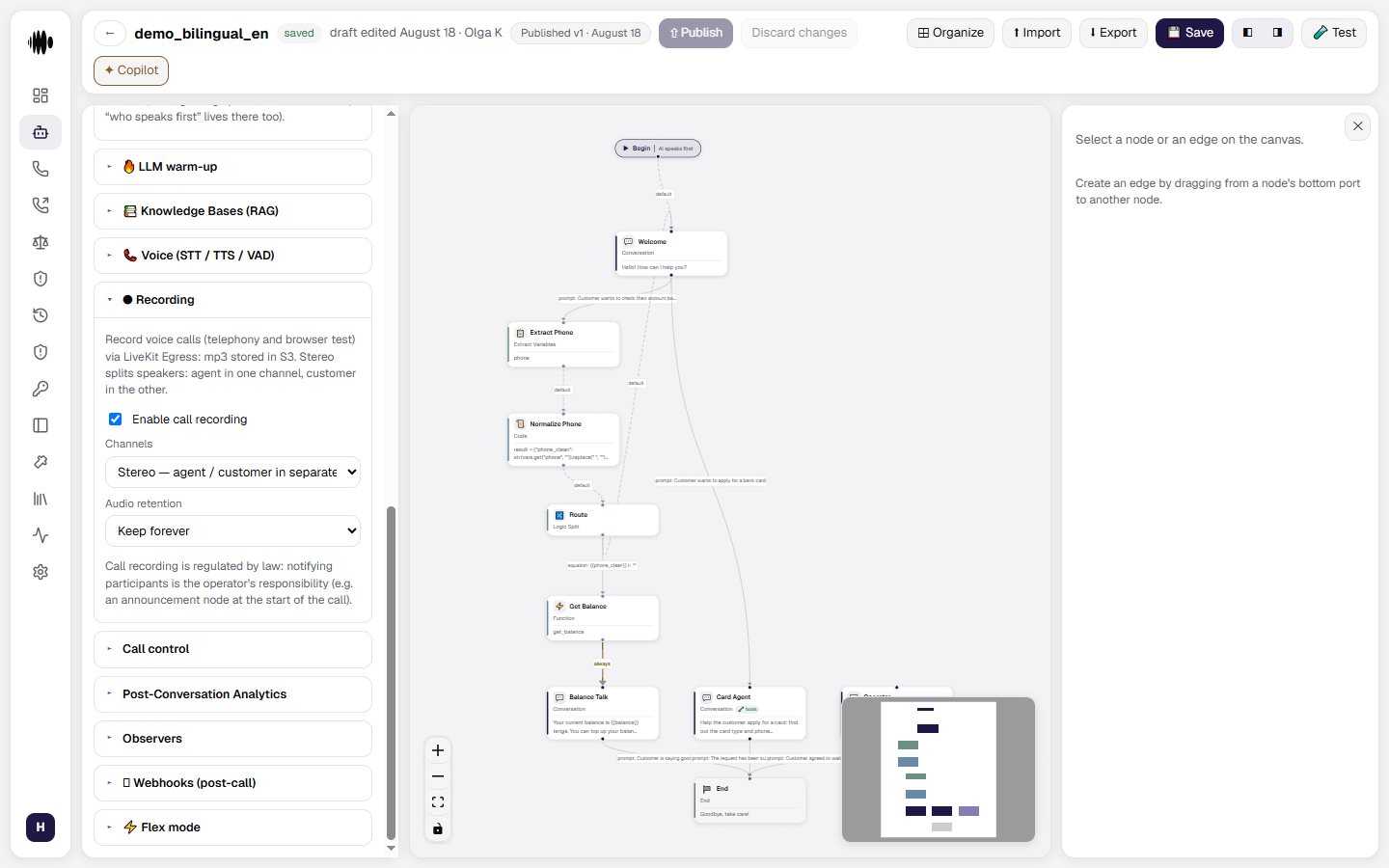
Configure voice call recording for telephony and browser tests. Recordings are stored as MP3 files.- Enable call recording — turns recording on for the agent. When enabled, the recording contains the agent and caller audio.
- Channels: Stereo — agent / customer in separate channels — stores the agent and caller on separate audio channels, making it easier to distinguish the speakers.
- Channels: Mono — single mixed track — stores both sides of the call in one mixed audio track.
- Audio retention: Keep forever — keeps recordings without an automatic deletion date.
- Audio retention: Delete after N days — deletes recordings after the configured retention period.
- Retention period, days — sets how many days recordings remain available when deletion after N days is selected.
Call control
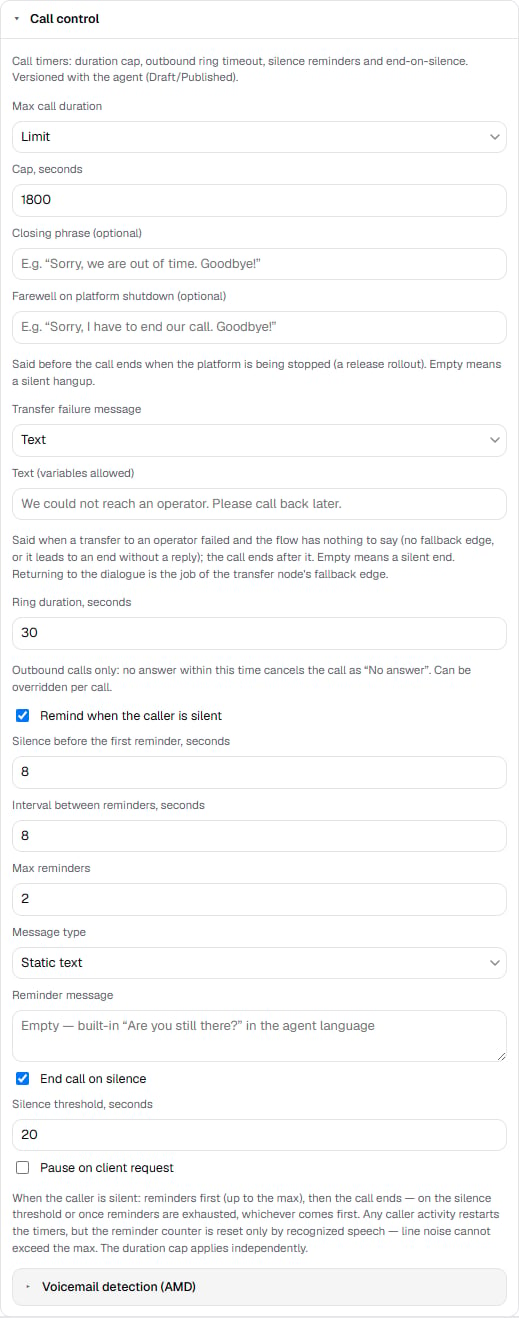
Call control manages timers and silence behavior. These settings are versioned with the agent, so Draft and Published versions can have different values.- Max call duration — choose Limit to enforce a maximum duration or No limit to leave the call duration unrestricted.
- Cap — sets the maximum call duration in seconds when Limit is selected.
No limit means “no limit of yours”, not “no limit at all”. A platform-side session ceiling applies on top: a conversation longer than the ceiling is force-closed together with its telephony room, even if participants are still on the line. The default ceiling is 4 hours (the value is configured at the platform level). It exists so a stuck session cannot live in the history for days and skew reports; if your scenario needs multi-hour conversations, raise it in advance.
- Closing phrase (optional) — the phrase spoken when the duration limit is reached, such as a short apology and goodbye.
- Farewell on platform shutdown (optional) — the phrase said before the call ends when the platform is being stopped for a release rollout. An empty field means a silent hangup.
- Transfer failure message — the line to say when a transfer fails and the flow has nothing to say: Text or Generated (prompt), as with reminders. An empty field means a silent ending: the caller listens to dead air until they hang up. After the line the call ends; bringing the conversation back into the flow is the job of the transfer node’s failure routes.
- Ring duration, seconds — sets how long an outbound call can ring before it is canceled as No answer. This value can be overridden for an individual call.
- Remind when the caller is silent — enables reminders when the caller stops speaking.
- Silence before the first reminder — sets how many seconds of silence trigger the first reminder.
- Interval between reminders — sets the delay between subsequent reminders.
- Max reminders — limits how many reminders can be sent before the call is ended or the flow continues.
- Message type — choose Static text for a fixed reminder or Prompt to let the language model generate the line.
- Reminder message — enter the reminder text. When empty, the agent uses the built-in “Are you still there?” message.
- End call on silence — ends the call when the configured silence threshold is reached.
- Silence threshold, seconds — sets how many seconds of silence are allowed before the call ends.
- Pause on client request — lets the caller ask the agent to wait without starting the silence countdown.