

Agent prompt, models and the history window
Module goal: separate the three model roles, back the agent up with reserves and not pay with latency where it is not needed.
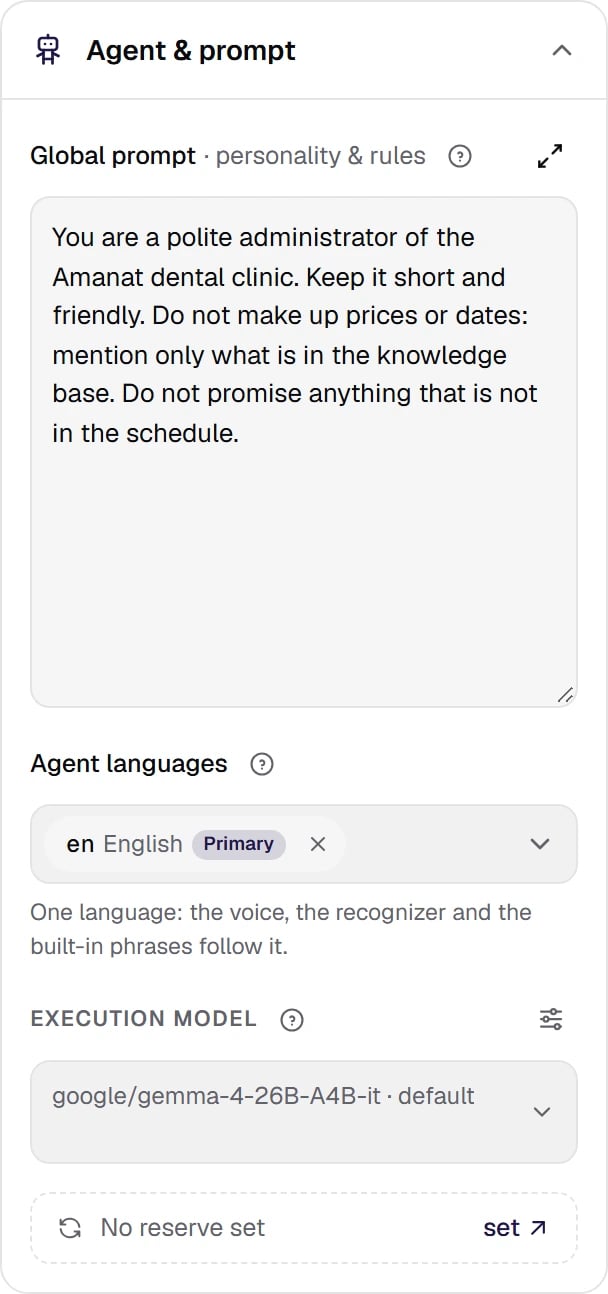
Settings → Agent & prompt. The global prompt, the conversation language, the execution model and the line of its reserve.
Show the full panel
Show the full panel
The global prompt: what to put there
Advice: the Global prompt should hold three things.- Who the agent is: name, organization, role. This is the name the caller will hear.
- Style: reply length (“1–2 sentences”), tone, language. For a bilingual agent — a rule for choosing the language, for example: «отвечай на языке последней реплики клиента: русский или казахский» (“reply in the language of the client’s last message: Russian or Kazakh”) or, for an English-speaking agent on the US market (
us_tcpa), “Reply in the language of the caller’s last message: English or Spanish”. The agent’s main language is set separately — in the Conversation language field: the list has Russian (ru), Kazakh (kk), English (en), Spanish (es) and other languages from the platform’s catalog. - Hard prohibitions: do not make up prices or free slots, do not give medical or legal advice, do not promise discounts.
Three model roles
The model is chosen from the model directory, not typed in by hand: there is no endpoint or key to enter, and the snapshot of the published version gets a frozen record — the publication will not “drift” because of a directory edit.
- Default in the field means the agent has no model of its own: the model set by the platform applies.
- Reset to default next to the field removes the chosen model; the gear parameters stay.
- The gear opens the model parameters: Temperature, Answer limit (the ceiling of one answer in tokens), Service tier — only on models that support it — and Reasoning effort — only on reasoning models. An empty field means the platform value.
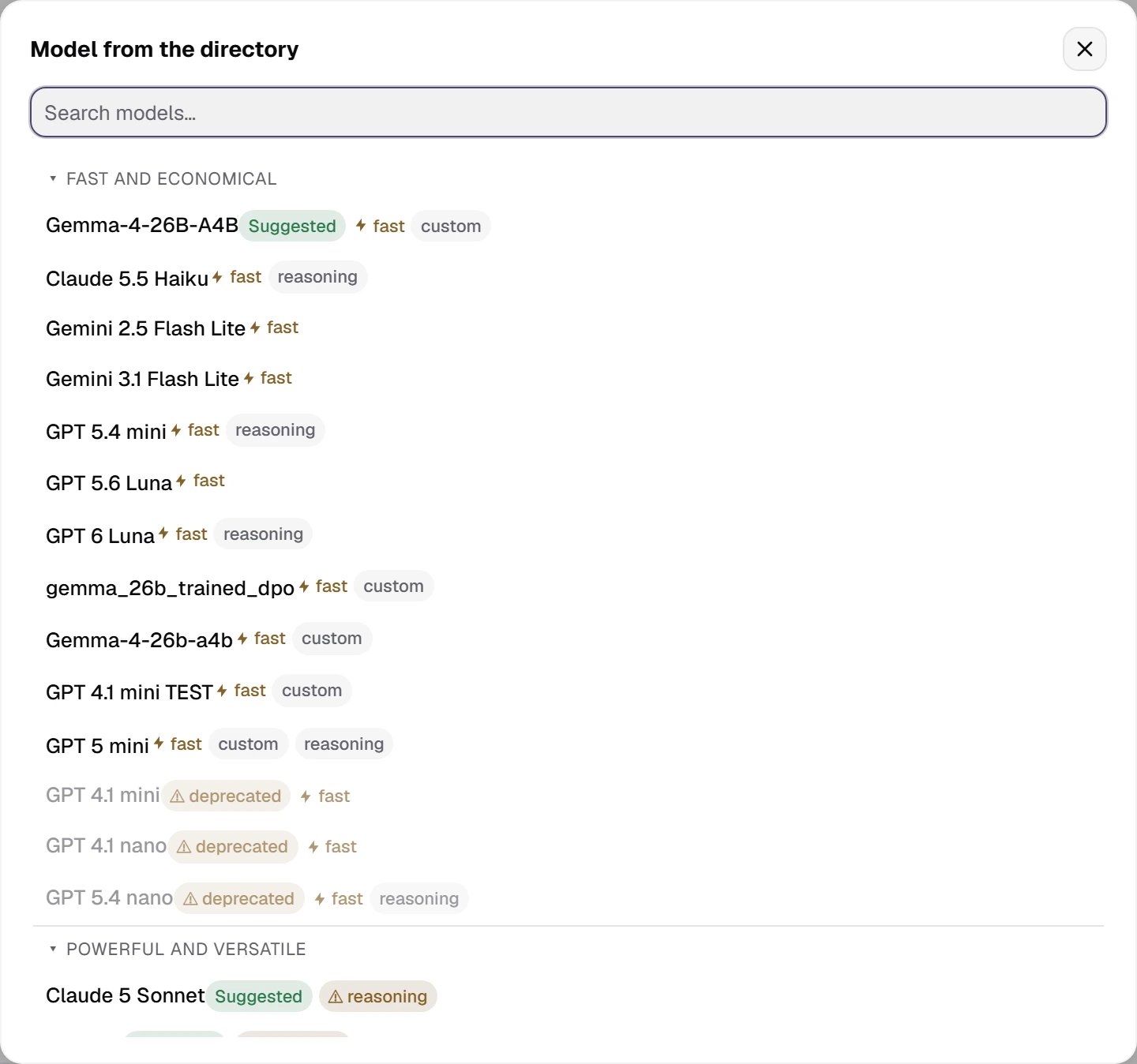
The agent's execution model: picked from the directory with the Suggested / fast badges. Default is the model set by the platform.
Show the full panel
Show the full panel
Reserve services
A reserve picks up the call when a primary service does not answer. All the agent’s reserves are in one table, Additional → Fallback → Reserve services: Answer model, Request understanding, Speech recognition and Voice, the primary service on the left, the reserve on the right. A shortcut to the model reserve is the Reserve: … · change or No reserve set · set line under the execution model in Agent & prompt.- A reserve is only a directory record and only of another provider than the primary service (for self-hosted models — another host): records of the same provider are not in the list, they would fail together.
- Above the table the card lists the rows without a reserve: “No reserve: … If they fail, the call is dropped.”
- A reserve model serves a turn when the primary model has not started answering within a short budget or is unavailable; while it is unavailable, every turn goes to the reserve. If a node has its own model of the same provider as the agent’s reserve, the reserve does not work on that node — the agent check warns about it.
- The reserve voice, once it picks up the call, stays until the call ends.
- If a reserve served the call, the call card header shows Reserve services were used; the details are in the full view of the card.
The history window is the most underrated parameterThe history window is how many recent messages of the conversation the model sees. By default 40 messages ≈ 4–5 minutes of conversation. The classifier gets the same slice, so the window also affects the pause on every turn.The window is not set on the agent: the platform sets it, one for all agents, and it applies to published versions too. Advice: if the agent needs to remember early facts in a long conversation — a name, the chosen service, a consent — save them into variables rather than relying on the history. In detail — Platform settings for agents.