

A call from your system: the public API
Module goal: start a call programmatically, when the trigger is an event in your CRM rather than a list.
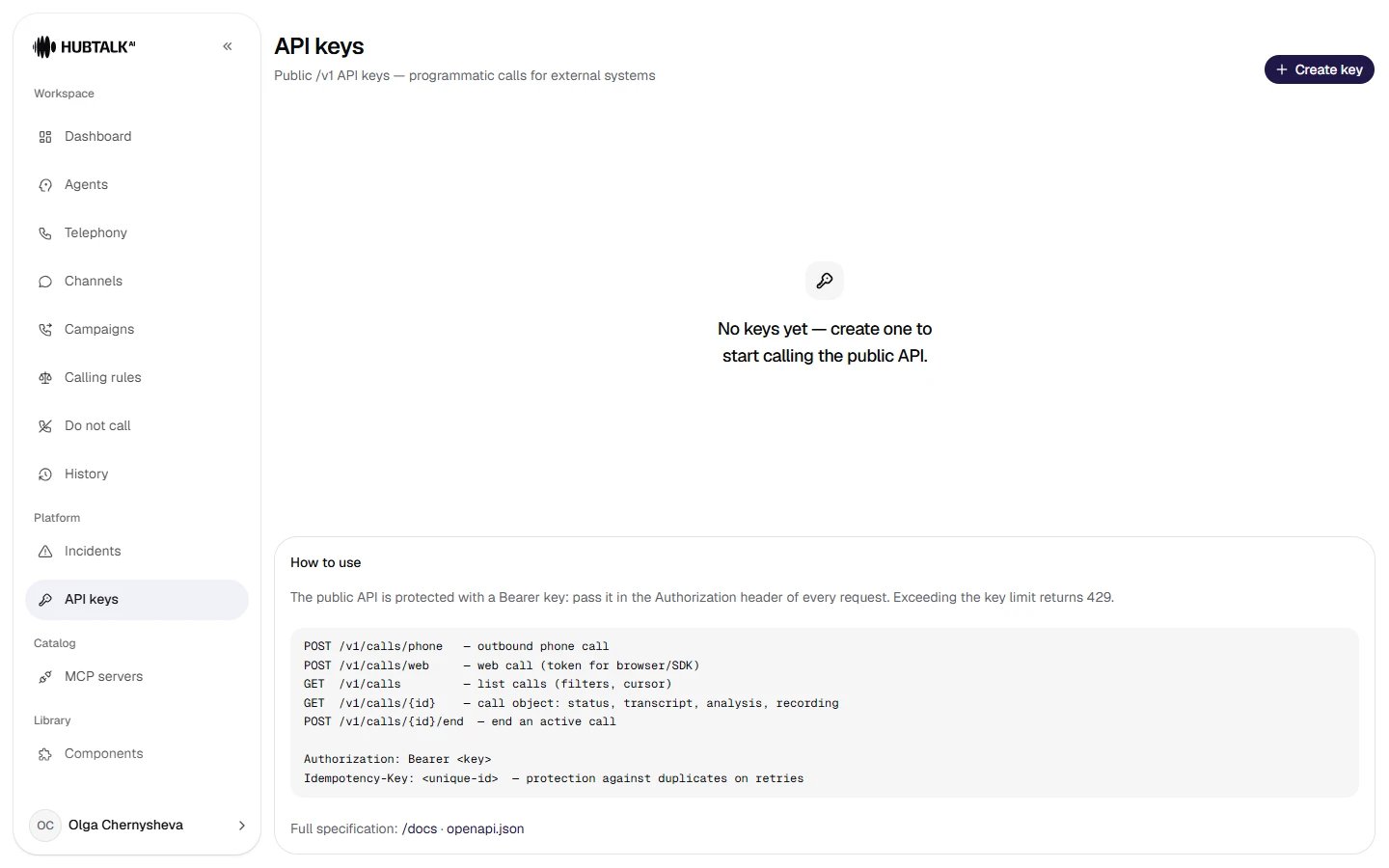
API keys — no keys yet. A key's secret is shown once, on creation. Next to the list is a quick reference on the endpoints, headers and the rate limit.
The key is passed in
Authorization: Bearer …, and each key has its own requests-per-minute limit (exceeding it returns 429 with a Retry-After header). The Idempotency-Key header on call creation requests (POST /v1/calls/phone and /v1/calls/web) protects against duplicates on retries: a repeat with the same key within 24 hours does not create a second call but returns the one already created — a must if the request is sent by a queue with automatic retries.
Call variables are passed in the request body — these are the same {{var}} you use in the nodes. Results arrive by webhooks from module 16, so there is no need to poll the status separately.
A call from a website: the SDK and the widgetFor web calls there is the browser SDK
@hubtalk-ai/web-sdk on npm. Your server calls POST /v1/calls/web with the key, and the page passes the session it gets to the SDK — the key never reaches the browser. The package also has a ready-made widget: a button in the corner of the page and a call panel with the agent’s state and a timer. Its styles apply only inside the widget and do not recolor your page.How to connect it: Calls from your website.