

Observers and incidents
Module goal: set up background monitoring of the rules and know where to read the violations.
us_tcpa): “The agent promises a discount that is not in the price list”. For a Russian-speaking agent the description is written in Russian, for example «Агент обещает скидку, которой нет в прайсе». The description is free text: the auditor role and the detector’s response format are built in and need not be described.
The reaction is configured separately and per agent. Soft actions do not interrupt the conversation: Agent correction (a hint during the conversation, such as “don’t promise discounts”), Incident record & log, Flag for review, Notify and tags. Hard actions (opt-in) are switched on deliberately: Transfer to human, End call and Pause agent. Plus the thresholds: Confidence threshold — the detector confidence at which to react, and N detections in a row — how many consecutive detections it takes to react. A hard action cannot be saved without a limiter: it needs Critical severity, a confidence threshold, at least two detections in a row, or Human-in-the-loop.
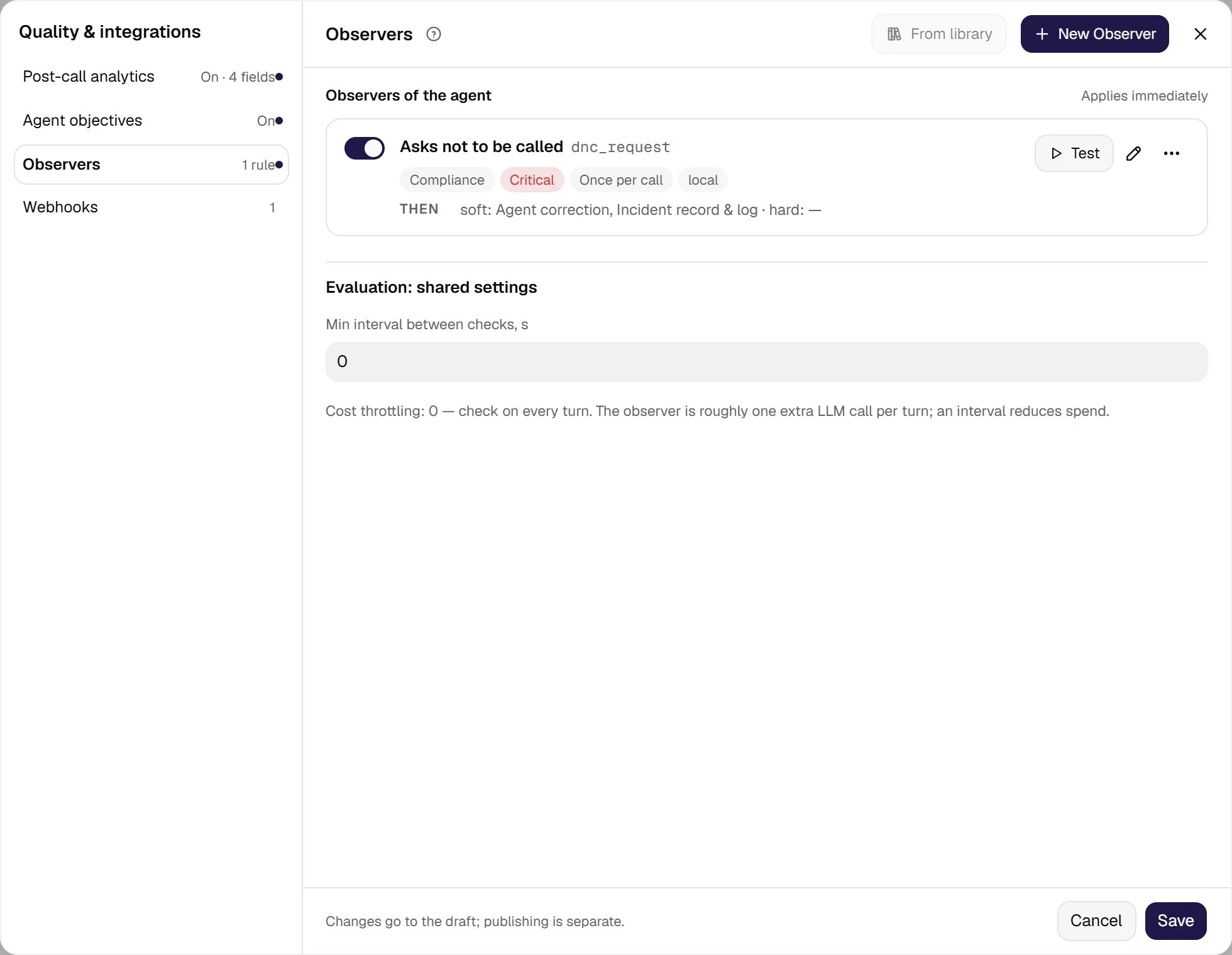
The agent's observers. A local detector, Asks not to be called, with Critical severity is attached to the agent; the THEN line shows the default soft actions. Below is the minimum interval between checks: a direct lever on observation spend.
Show the full panel
Show the full panel
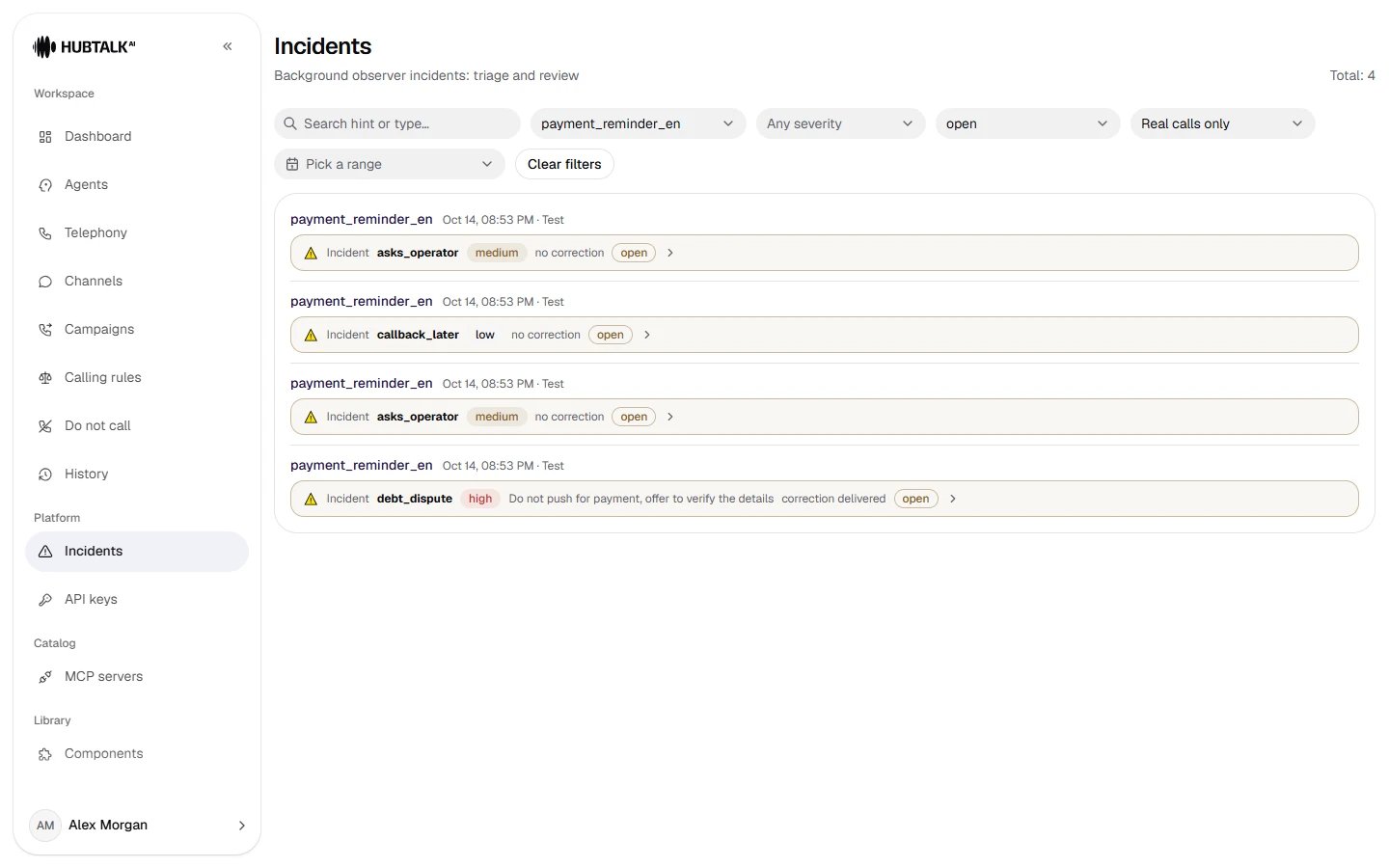
The Incidents page is the review queue: filters by agent, severity, review status and traffic; each row shows the observer, severity, hint, correction status and review status (open / reviewed / resolved / false positive). Open incidents are shown by default.
Advice: where to startThree detectors cover most real outbound-calling risks: promising something that is not in the price list; the agent did not introduce itself (in the USA, telemarketing rules require identifying yourself at the start of the call — check the wording with your lawyer); the customer asked not to be called again. Start with soft actions without a correction: a new observer has Agent correction and Incident record & log on by default — keep the record and add Flag for review. A week of observation will show whether to turn on the correction and the hard actions.The observer does not add the number to the Do not call registry by itself. Under the
us_tcpa market profile, such requests are written to the registry by automatic capture from the conversation; an “asks not to be called” observer then helps check how the agent responded to the request. Under the kz profile the registry is filled manually: the observer flags the call, and the person in charge moves such numbers to the registry — module 25, Do not call.