

Branching without a model: Logic Split
Module goal: split routes by formulas where the data is already there.
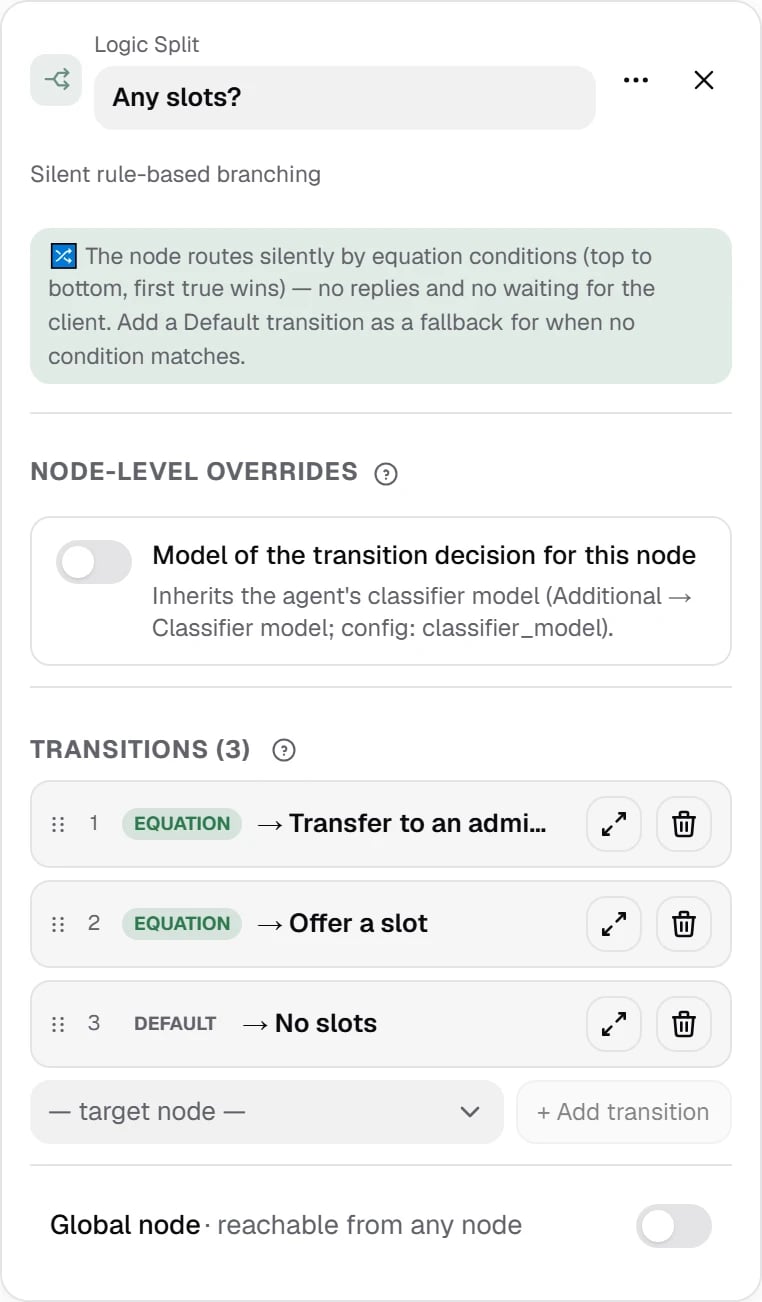
Logic Split. Three exits: “slots available” by {{slots_count}} > 0, “CRM did not respond” by {{get_free_slots_success}} == false, and Default — “no slots”. The client does not hear this node.
node_visited(id) — whether we have been in the node, goals_completed() — whether the agent’s required objectives are closed. Equation conditions are evaluated top to bottom, and the first true one wins, so special cases go above general ones. To change the order, drag a transition card by ⋮⋮. If no condition is true, Default fires — add it to every Logic Split.
A formula can use:
A missing variable counts as an empty string:
== and number comparisons are false for it, != is true.
You can also branch on the contact’s campaign data. For example, under the US market profile (us_tcpa) — on the state from the contact_state column: {{contact_state}} == "CA". A contacts file column reaches the agent under the same name, see Campaign contacts. If the variable is missing, the condition is false and the next transition in order fires.
Why not ask the modelA formula is free, instant and behaves the same way every time. A classifier is a model call: you need it only when the decision depends on the meaning of what the person said. Logic Split also accepts prompt conditions, but the model checks them only after all the formulas. Tip: if the value already sits in a variable, it is a formula.
PracticeBuild a chain in your agent: Extract Variables (date) → Function with a stub (free slots) → Logic Split (slots available / error / no slots) → two different replies. Walk it through in the chat test — module 20 shows how to read the trace.