

Ending: End and the “interruptible farewell”
Module goal: end the conversation so that the farewell is spoken to the end — and know the exception to this rule.
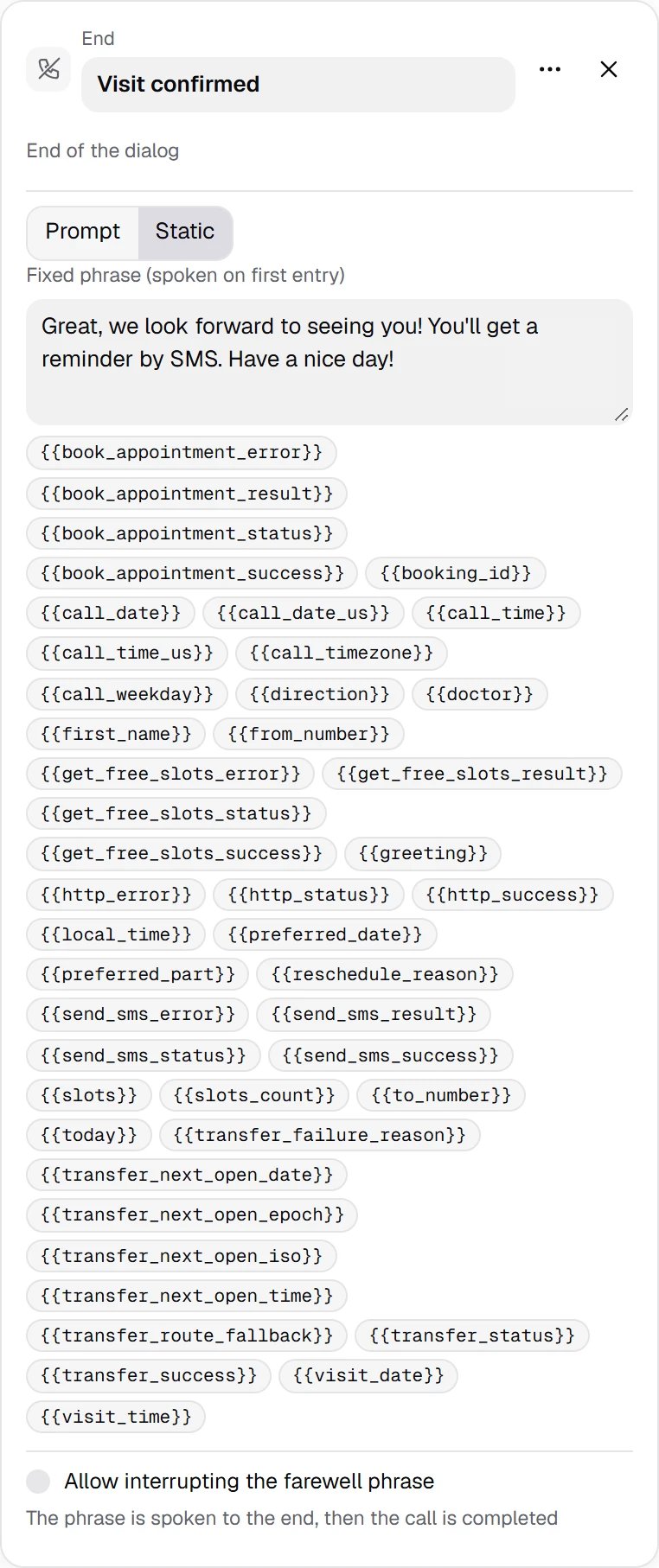
End — a regular ending: a farewell phrase with variables. By default it cannot be interrupted: the call is hung up only after the phrase has been played in full.
Show the full panel
Show the full panel
{{variables}} substituted, Prompt is an instruction from which the model words the farewell itself. An End without a phrase ends the call silently.
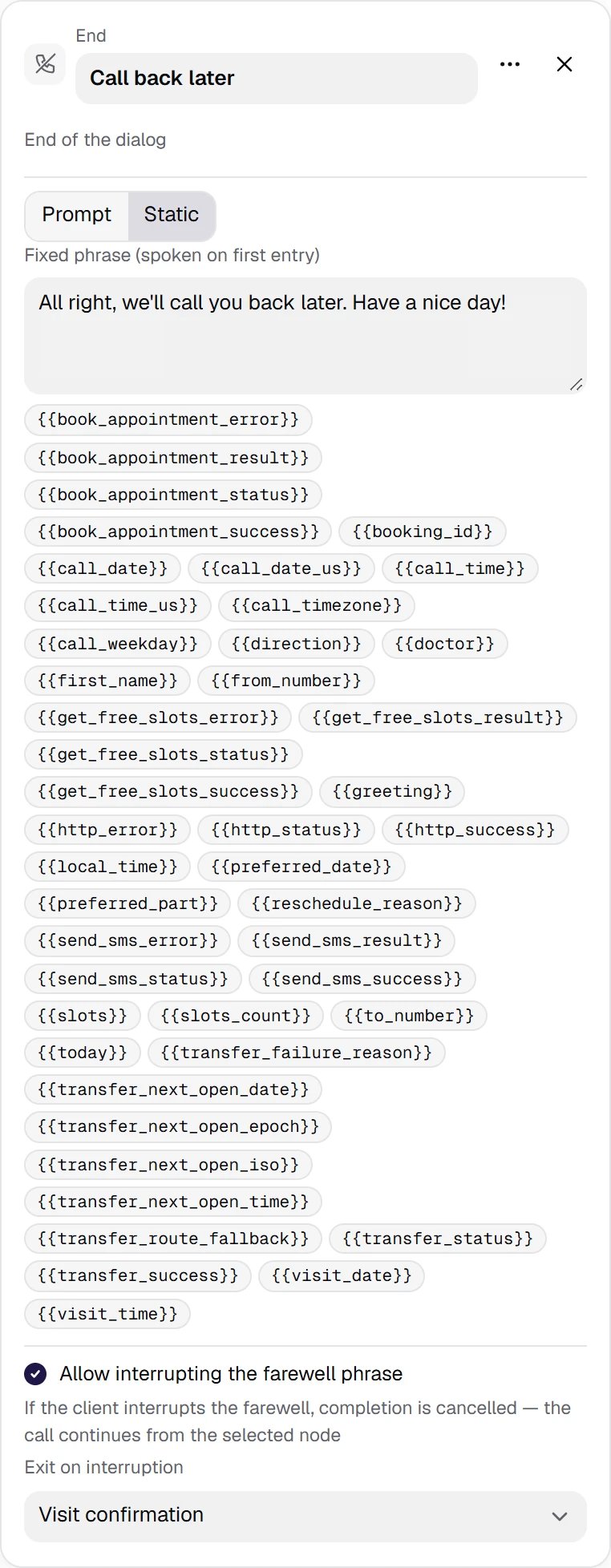
End with an exit — the exception: interruption is allowed and an exit is set. The customer managed to say “wait!” — the ending is cancelled and the dialogue continues from the selected node.
Show the full panel
Show the full panel
How the call ends in the history
A call does not end only in End. The end reason is visible in the call history:
Reminders on silence (“Are you still there?”) and the silence auto-end threshold are configured in the Call control lesson (lesson 15).
Agent hung up (flow completed) means that the conversation reached the end of the scenario, not that the call was successful: any End gives this reason. Success is determined by post-call analytics — Call success evaluation and a Success criterion in your own words, see Analytics and the Post-call analytics lesson (lesson 18).
Why an agent usually has several End nodesDifferent endings mean different farewells and different behavior on interruption: “visit confirmed” says goodbye calmly and hangs up, “asked to call back later” leaves the customer a chance to change their mind. The transcript trace shows which node the conversation ended in.Campaign retry rules do not distinguish End nodes: they look at the end reason and at the success criterion. So that “asked to call back later” does not count as a success, describe this in the success criterion — then the Goal not achieved condition in the dialing rules returns such a contact to the calling list (see Campaign launch). A request not to be called at all is not “we’ll call back later” but an opt-out from calls: it is covered in module 25, Do not call.
PracticeAdd to your agent a global node “asks for a human” → Transfer with a phrase before the transfer → a node “receptionist is busy” and two End nodes: a successful one and “we’ll call back later” with an interruptible farewell and an exit on interruption. Open the Issues tab — there should be no dead-end warnings and no errors about the exit on interruption.