

Components: one block for all agents
Module goal: stop copying the same piece of dialog into every agent.
us_tcpa), it is also handy to move the opening into a component — the part where the agent names the company and says that an AI agent is calling: that text is usually approved by legal once for all agents. This is advice on how to structure the flow — the platform does not add such a line by itself.
Two access levels: Library Components (Shared) — a shared component whose edits reach the drafts of every agent it is connected to right away, and Agent Components (Local) — a component that lives in one agent only. On the canvas a component is a single reference node; on publish (and when a test call starts on the draft) it expands into regular nodes, so the call engine treats them like any other nodes. A component can’t contain another component.
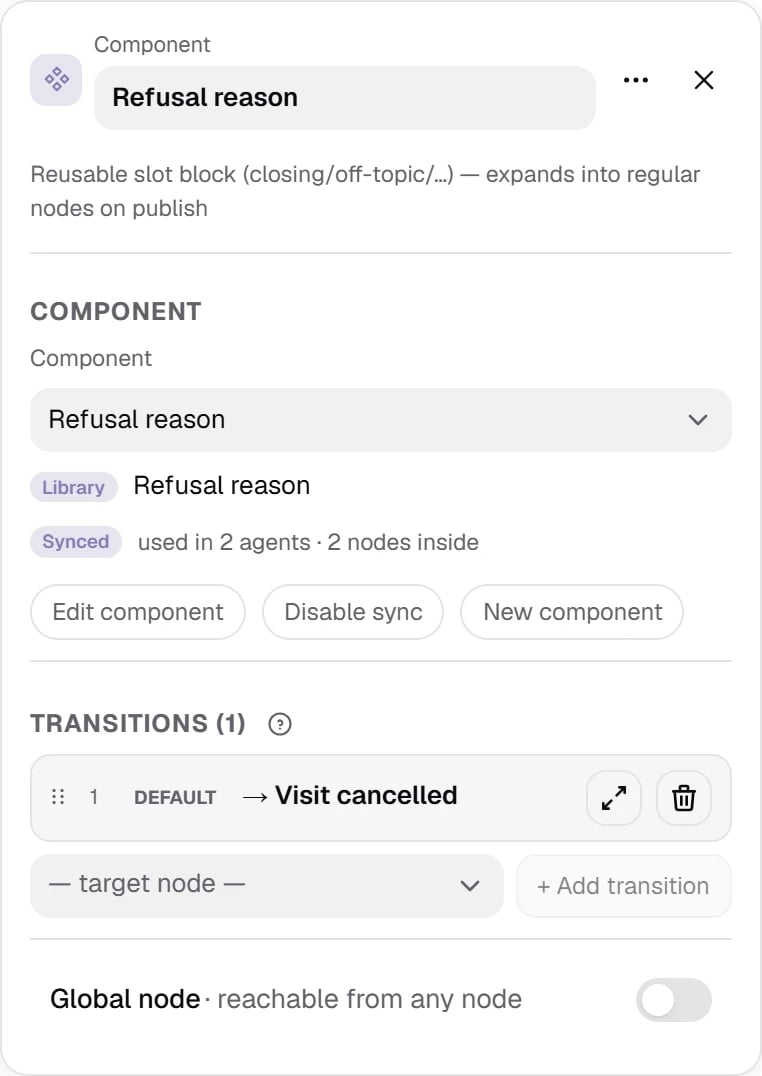
The component node references the “Refusal reason” component: 2 nodes inside, Library level.
Show the full panel
Show the full panel
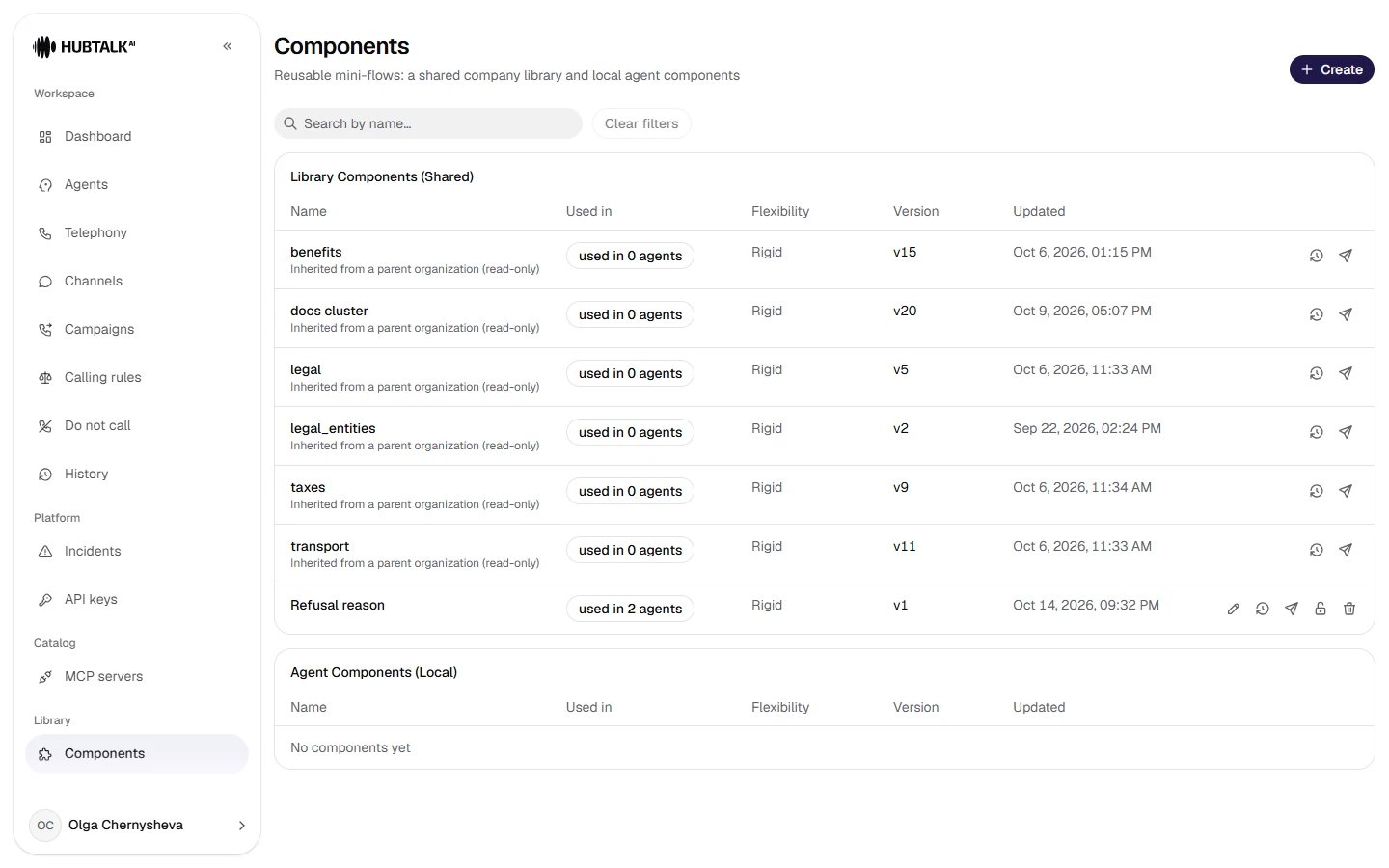
The Components section is a catalog: where a component is used, transition flexibility, version. Deleting a library component does not break agents — in each of them it turns into a local copy.
Click to open in full
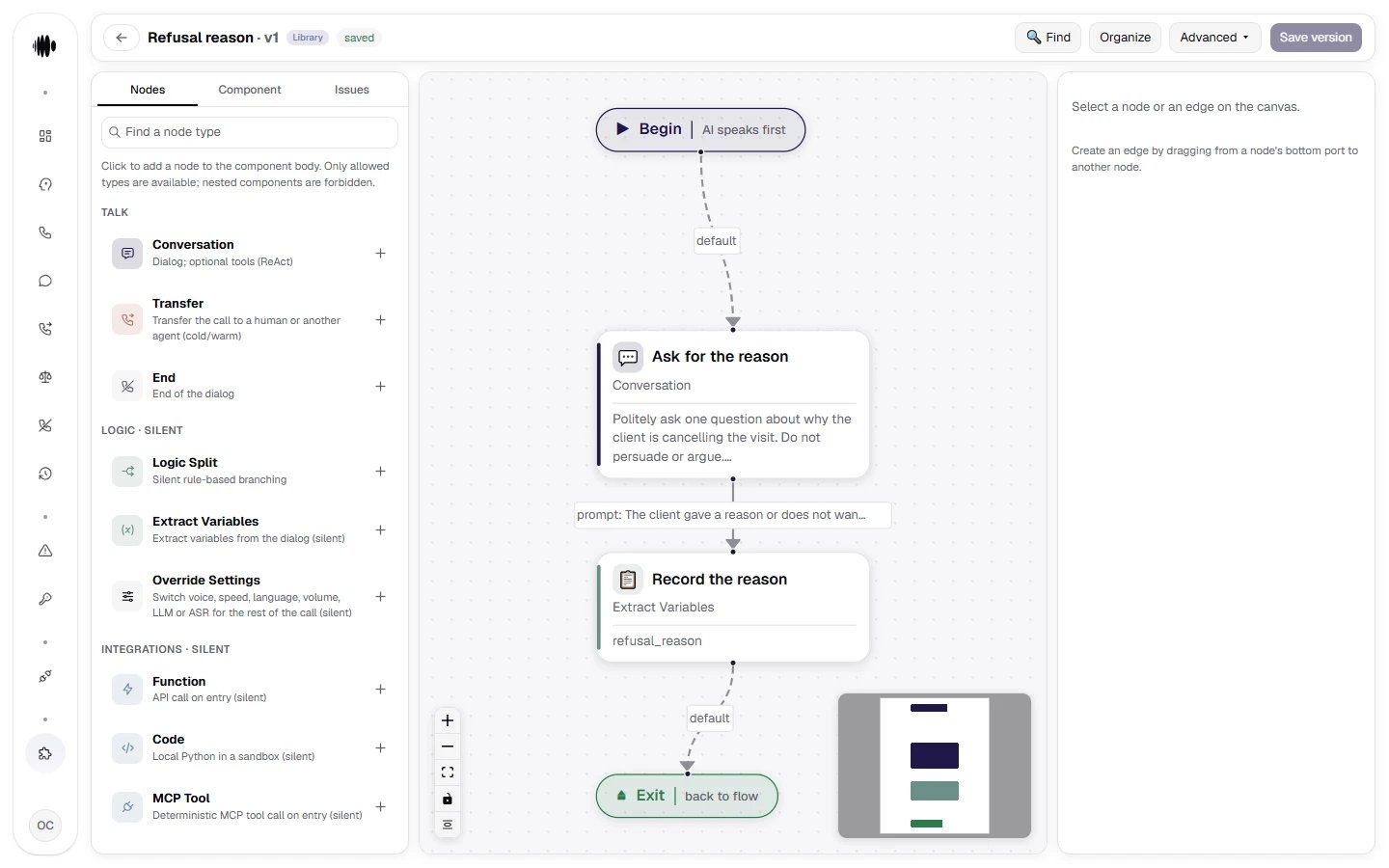
The component editor. Inside a component you get the same canvas. There is one difference: instead of End there is Exit (“back to flow”) — the exit that is joined to the component node's connection on publish.
Shared component rules — in one place
If a rule must apply in every node of a component — for example, “don’t name the amount until the customer has confirmed their identity” — don’t copy it into each node. The component editor has a Component prompt field for this: every reply inside the component receives its text, right after the agent’s global prompt. It does not set transitions — their conditions are written in the nodes and on the edges. In FLEX and realtime modes the field has no effect: the agent check shows a warning, and the component’s nodes run without this text. Details are in the Component node description.A local copy remembers where it came from
A library component can be turned into a local copy for a specific agent with the Disable sync button. Such a copy keeps a link to its parent and the version it was forked from, and carries the Overrides library badge. Next to it is the Differences from library view: added, removed and changed nodes, plus the component prompt, compared with the parent’s current version. The comparison is by meaning, so reordering keys does not count as a difference.Pinning and rolling out to all agents
A pinned library component cannot be detached (sync disabled) or deleted — it has to be unpinned first. Only the organization administrator can pin and unpin a component; editing a pinned component is also administrator-only, for a developer it opens in view mode. This is how you lock down wording approved by legal so that nobody “adjusts it for the scenario” in a single agent. Role rights are described in Roles and access. An edit to a library component can be rolled out to published agents with a wizard: it shows the list of consumers before applying and lets you republish the selected ones. Agents whose draft has other unpublished edits, agents that have never been published, and agents that moved to a local copy are not included in the rollout — the wizard lists them separately with the reason. Without the wizard, a library edit reaches the drafts but does not affect live calls until each agent is published manually.Why this is discipline, not convenienceAdvice: keep in components the wording that changes at legal’s request and in all agents at once — recording consent, notices, and on the
us_tcpa profile also the disclosure that an AI agent is calling. As long as it is copied text in twenty nodes, the change is guaranteed to be forgotten somewhere. A component makes such an edit a single operation — and shows how many agents it will affect.