

Telephony: trunk and routes
Module goal: set up your organization’s routes on a SIP trunk and understand how an inbound route differs from an outbound one.
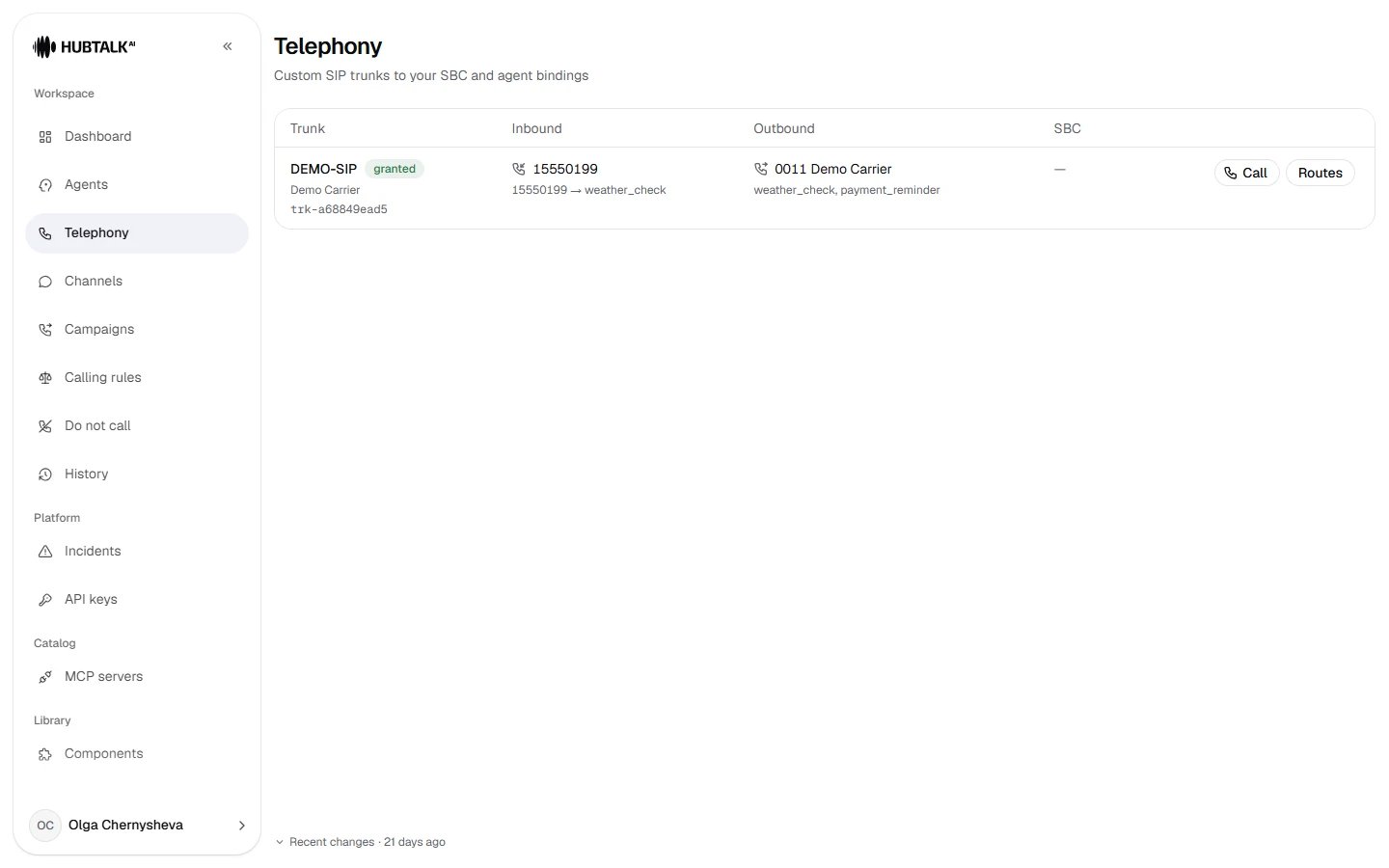
Telephony — a trunk with an inbound number that has an agent bound to it, and an outbound route. The Call button is a quick check with a live call; Routes opens the route settings window.
- Trunk — the connection to the carrier. The platform connects it and provides it to your organization together with a number pool and a quota: in the table such a trunk carries the granted badge.
- Routes (subgroups) — what you configure yourself, with the Routes button:
- inbound = a number + exactly one agent that answers calls to this number (published only — live calls run the published version). When inbound handling is configured for the number, its rules choose the agent, and the card shows Inbound handling: N agents;
- outbound = a four-digit dialing prefix + a set of caller IDs from the granted pool + any number of agents + allowed destinations and limits (concurrent calls and calls per minute) + the number selection policy;
- transfer = the same as outbound, but only for calls to an operator: its own numbers, its own limits, its own five-digit prefix. Campaign settings do not apply to transfers. This subgroup is chosen in the transfer node — see Transfer to a human.
Which number the call goes out from
If an outbound subgroup has several caller IDs, the choice between them is made by the Outgoing number selection setting on the subgroup card: Random from the list (the default) or Round-robin over the list. The policy applies wherever no number is set explicitly: a test call from the Call button, the public API without a number, and every campaign attempt. Call and campaign forms offer By subgroup policy for this. The chosen number is fixed for the whole call. A call never gets a number outside the subgroup pool: such a request is refused with a clear reason instead of going out from someone else’s number.Number rotation does not switch itself on. A pool of hundreds of numbers calls the way the subgroup policy says — if you need rotation, check that the card has Random from the list or Round-robin over the list selected.
Click to open in full
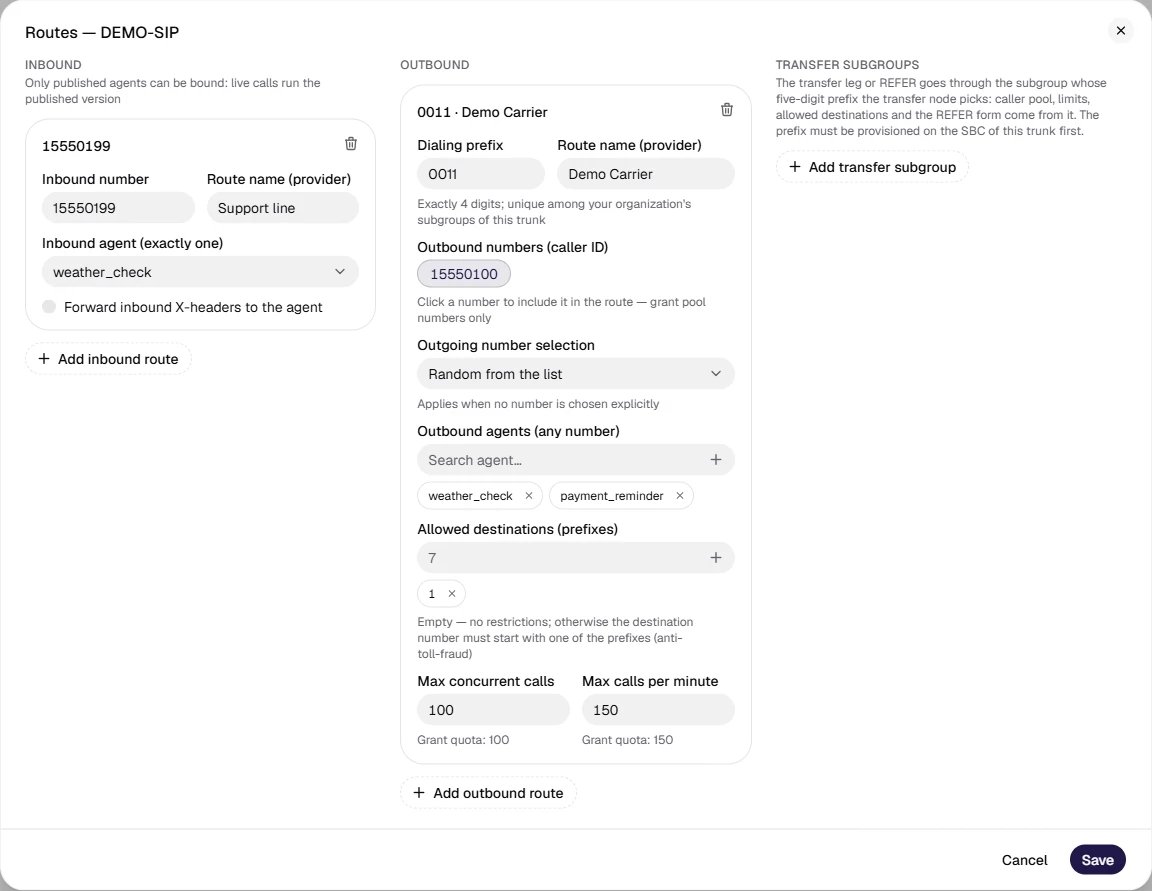
The trunk routes window: inbound routes with X-headers passed to session variables, outbound routes with caller IDs, allowed destinations and limits, transfer subgroups.
What to agree on before the first callThe trunk, the numbers in the pool, the quota and the transfer prefix (it is set up on the trunk side in advance) come from the platform: contact the platform administrator or HubTalk AI support. On your side, check the number format in your files and in the API: the dialing prefix is set in the outbound route, not in the agent.