

The cabinet: where things are
Module goal: stop hunting for sections and understand what lives at the agent level and what lives at the organization level.
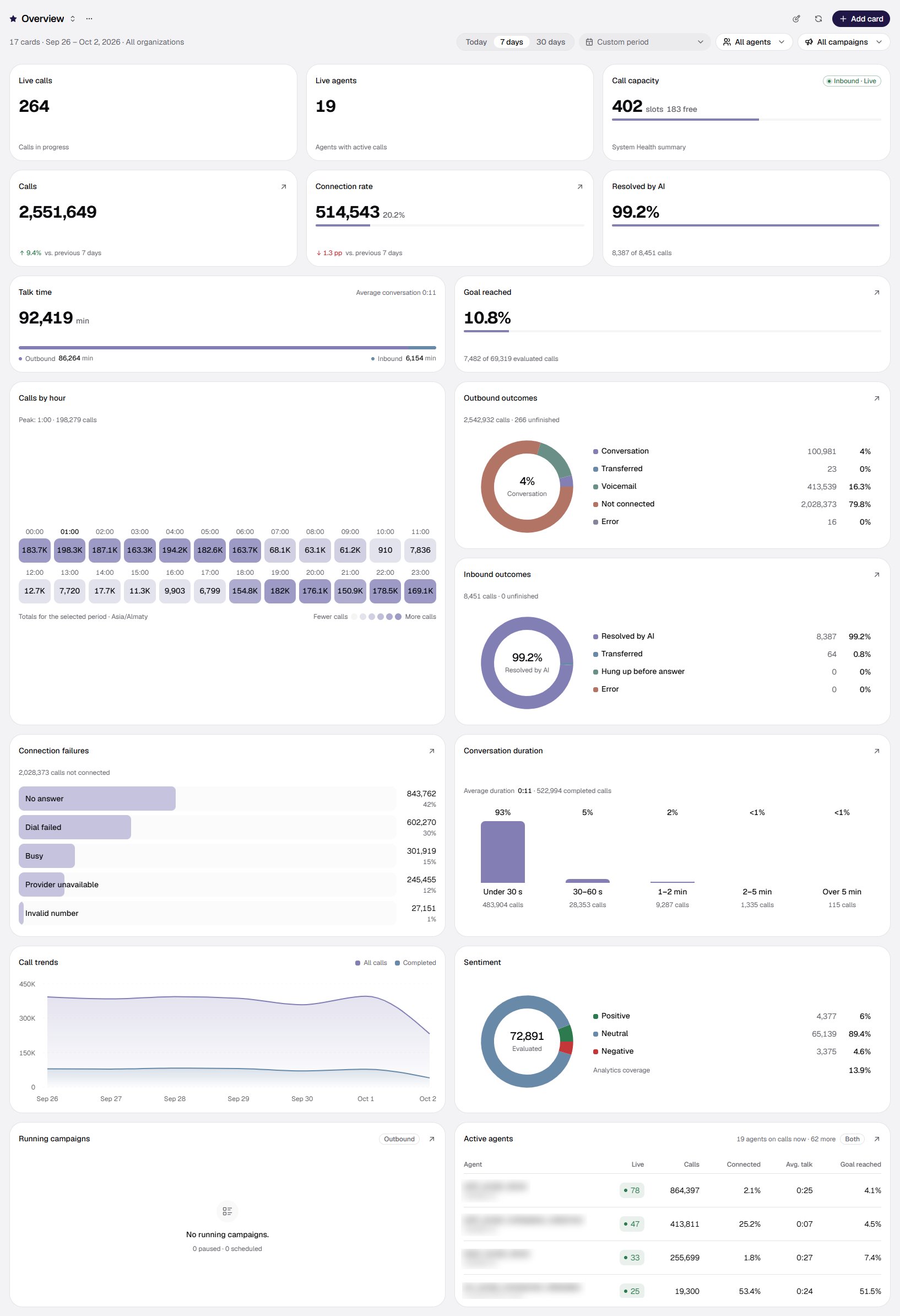
/dashboard — the Overview dashboard: a header with the period and an agent filter, cards for “now”, volume, outcomes and agents.
Dashboard figures count live telephony only. Chats, website calls and your test runs are not included — so Calls on the dashboard and the number of rows in History do not have to match.
Other roles see part of this menu: sections the role has no rights to do not appear in it. Which sections each role can open — in Roles and access.
MCP servers in the Catalog group are shared across the whole organization: an agent only refers to the record. So a server is edited in one place, not in every agent.
The organization’s market:
kz and us_tcpaThe set of sections and the rules a campaign uses to choose the time of a call depend on the organization’s market profile.us_tcpa(USA). The Workspace group has a Calling rules section. It opens the Calling rules (US) screen — every role in the organization sees it, and it is read-only: the federal rules, the legal calling windows for 56 jurisdictions (the states, the District of Columbia and the territories), restricted days and holidays, legal frequency caps and the Forbidden-windows grid. A contact’s location is determined by ZIP: for a contact with a ZIP the window is counted in a single time zone, and without a ZIP dialing is allowed only when the time in every candidate zone of the state is inside the window. A campaign’s Working hours apply inside the legal window. In detail — in US campaigns.kz(Kazakhstan). There is no Calling rules section in the menu. When to call is set by the campaign itself: Working hours on the Schedule step of the campaign wizard. If working hours are not set, dialing is limited to the organization’s calling window — 08:00—21:00 by default.
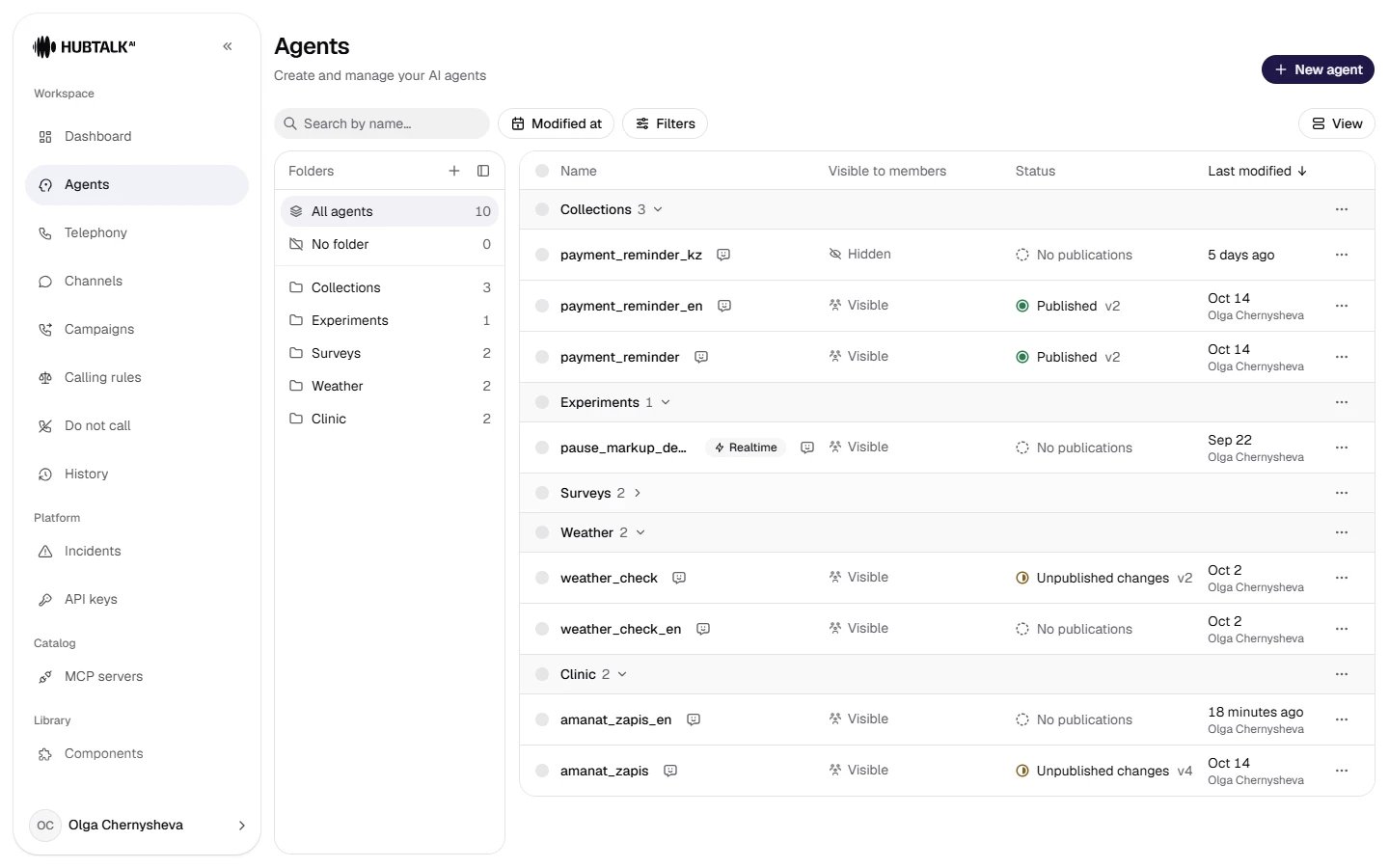
/agents — the agent list: folders on the left, a table with visibility, publishing status and modification date.
A folder is a way of arranging the workspace, not a property of the agent. Moving does not create a flow version and does not change edit attribution. Deleting a folder moves its agents to No folder and does not delete any of them — the confirmation dialog says so explicitly. An agent created while a folder is selected (and a duplicate of an agent from a folder) ends up in that folder.
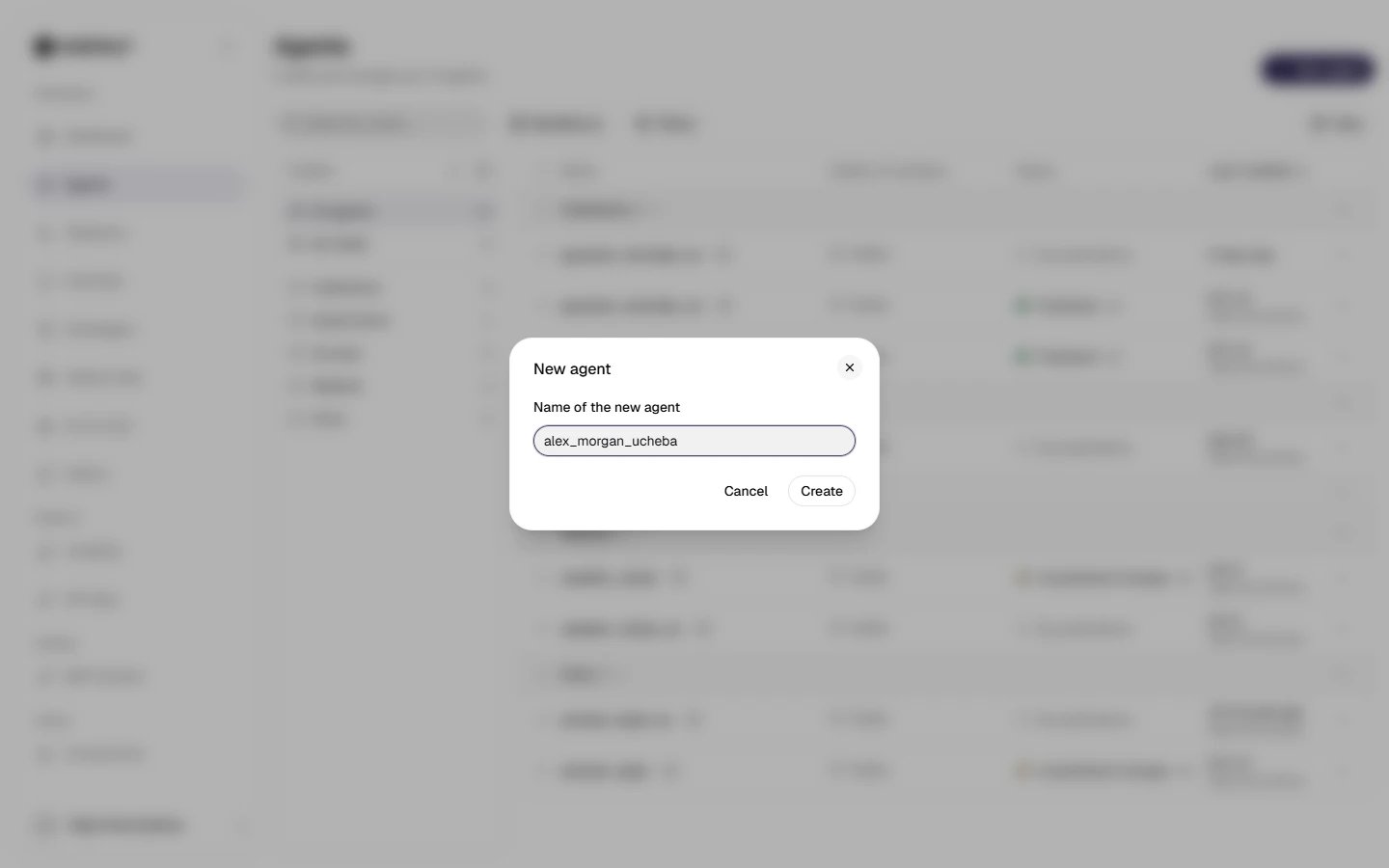
Creating: the New agent button. A new agent is created with the minimal Begin → Conversation → End template. Use Latin characters for the name: it goes into the URL and into the call history.
PracticeCreate an agent
firstname_lastname_ucheba and open it. All the following modules are done in it — repeating what the screenshots of the training agent amanat_zapis show.