

Variables: where they come from and where they go
- They come from outside — from a calling campaign (the columns of the contacts file), from a public API call or from the SIP headers of an inbound call. This is how the agent knows which doctor the client is booked with and at what time. A column reaches the agent under its own name from the file:
contact_first_name,contact_last_name,contact_cityand any columns of your own, such asdoctororvisit_time. The contacts file template for the US market profile also hascontact_zipandcontact_state; the platform works out the contact’s time zone from the ZIP code. - They are extracted from the conversation — by the
Extract Variablesnode. - They are computed — by the
Codenode or from aFunctionresponse.
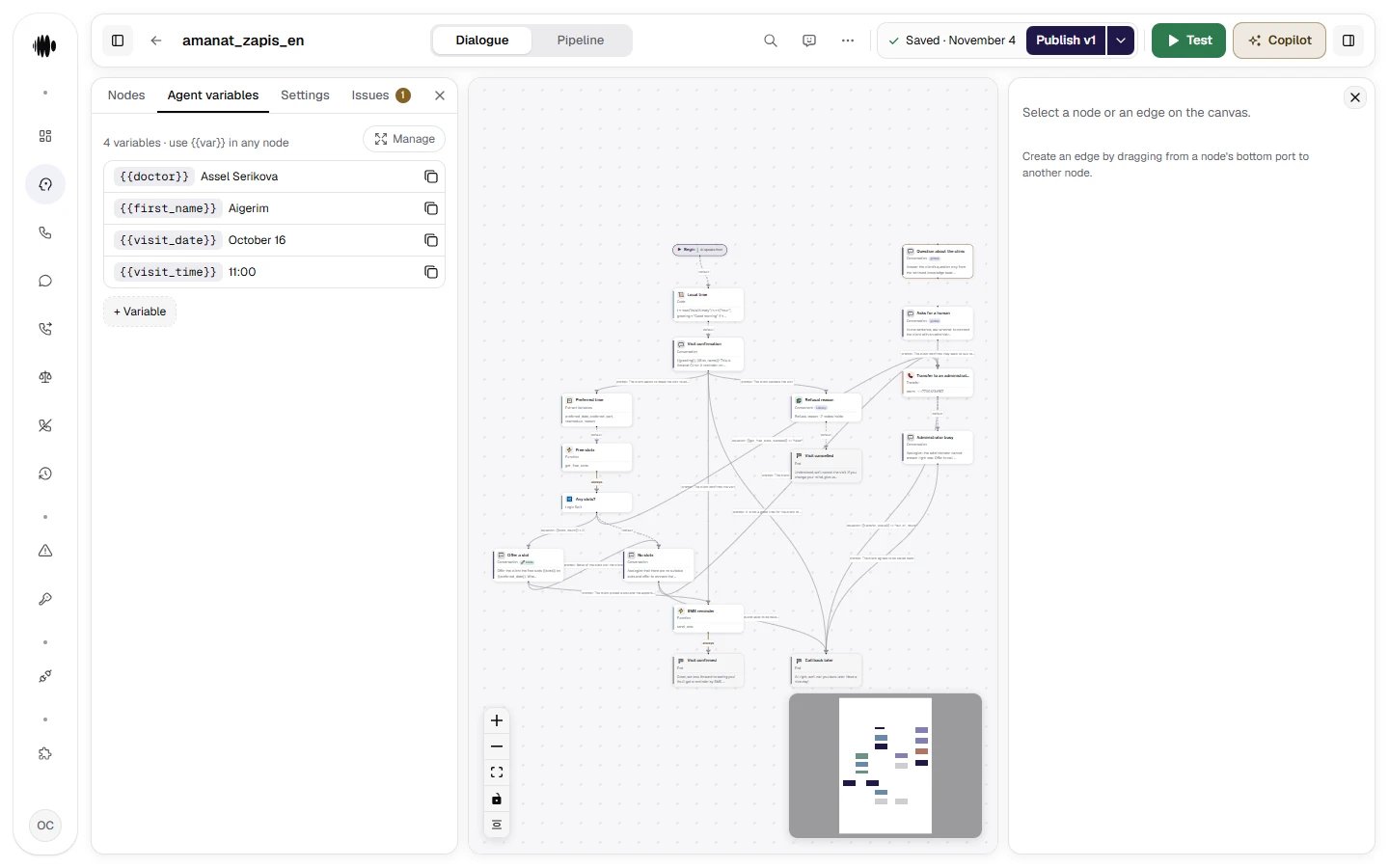
Agent variables. The values here are defaults and test data; in live calls they are overridden by campaign or API data.
Show the whole panel
Show the whole panel
{{direction}} (inbound, outbound or web), {{from_number}} and {{to_number}}. For an inbound call from_number is the caller’s number and to_number is the dialled number; for an outbound call it is the other way round. Numbers arrive as digits only, with the country code, without +, spaces or brackets: 77011234567 for Kazakhstan, 12125551234 for the US. If the agent reads a number aloud, bring it to a readable form with a Code node. Values from the public API and SIP headers are applied afterwards and override these variables, while a contacts file column with the same name never reaches the call. The chat test has no call: there the numbers come from the default values on the tab and stay empty without them; direction is web.
The other seven are the date and time of the conversation: {{call_date}} (2026-09-24), {{call_date_us}} (09/24/2026), {{call_time}} (14:05), {{call_time_us}} (2:05 PM), {{call_weekday}} (the day of the week in English, Thursday), {{call_timezone}} and {{today}}. The form of {{today}} depends on the organization’s market profile: in Kazakhstan (kz) it is 2026-09-24, in the US (us_tcpa) it is 09/24/2026. The date is computed in the time zone of the contact or the organization and is recomputed on every call, in the chat test too, so a default value from the tab does not replace it. The full list and the order in which the time zone is chosen are in the reference, in Variables every call starts with.
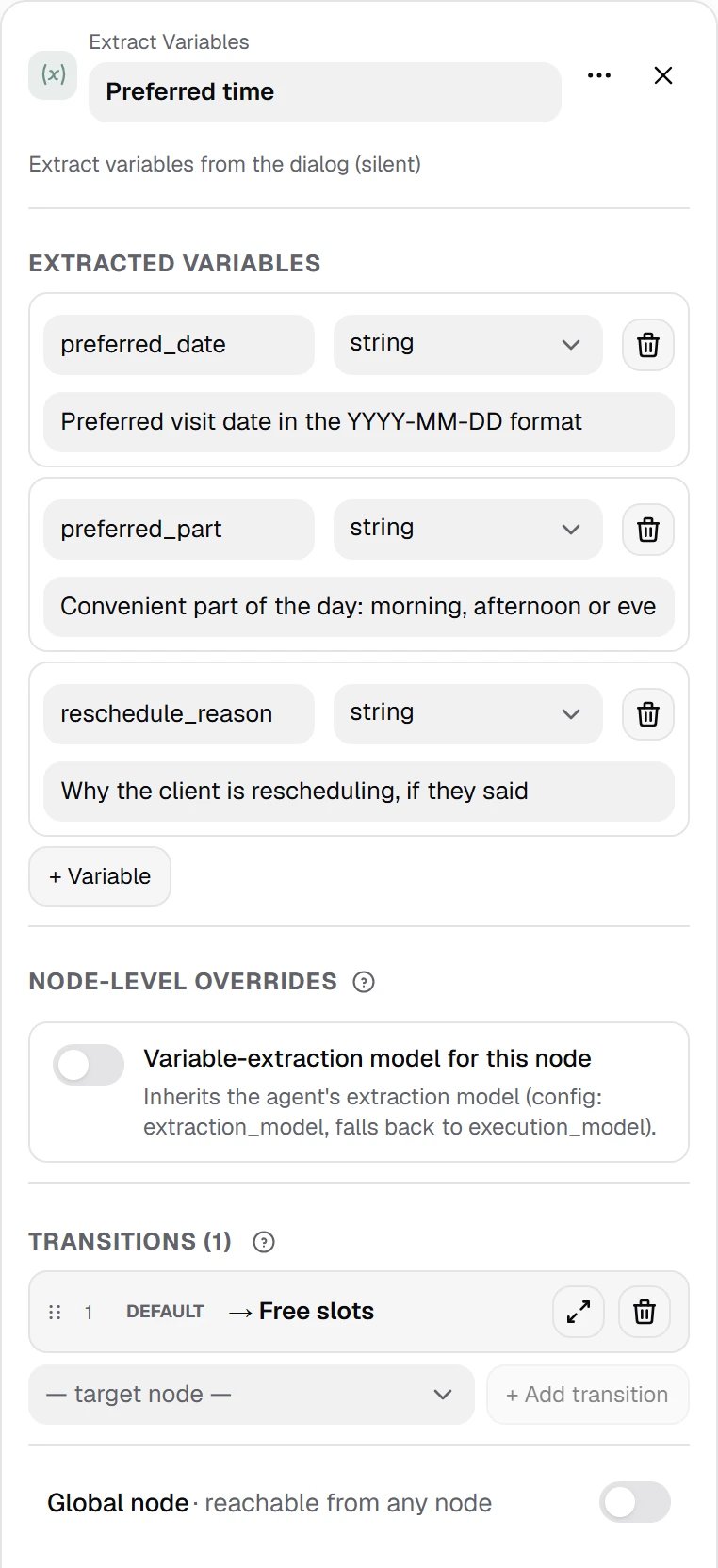
Extract Variables is a silent node: with one structured call it pulls the preferred date, the part of the day and the reason for rescheduling out of what was said. When the answer must come from a fixed set — yes or no, for example — choose the enum type: such a value is easy to build a formula on.
Show the whole panel
Show the whole panel
string, number, boolean and enum; with enum the model picks one of the listed values.
Advice: write a variable’s description as an instruction to the model, not as a comment for a colleague. “Preferred visit date in YYYY-MM-DD format” works; “date” does not. Choose the format for where the value goes next: YYYY-MM-DD matches the form of {{call_date}}, MM/DD/YYYY that of {{call_date_us}}.
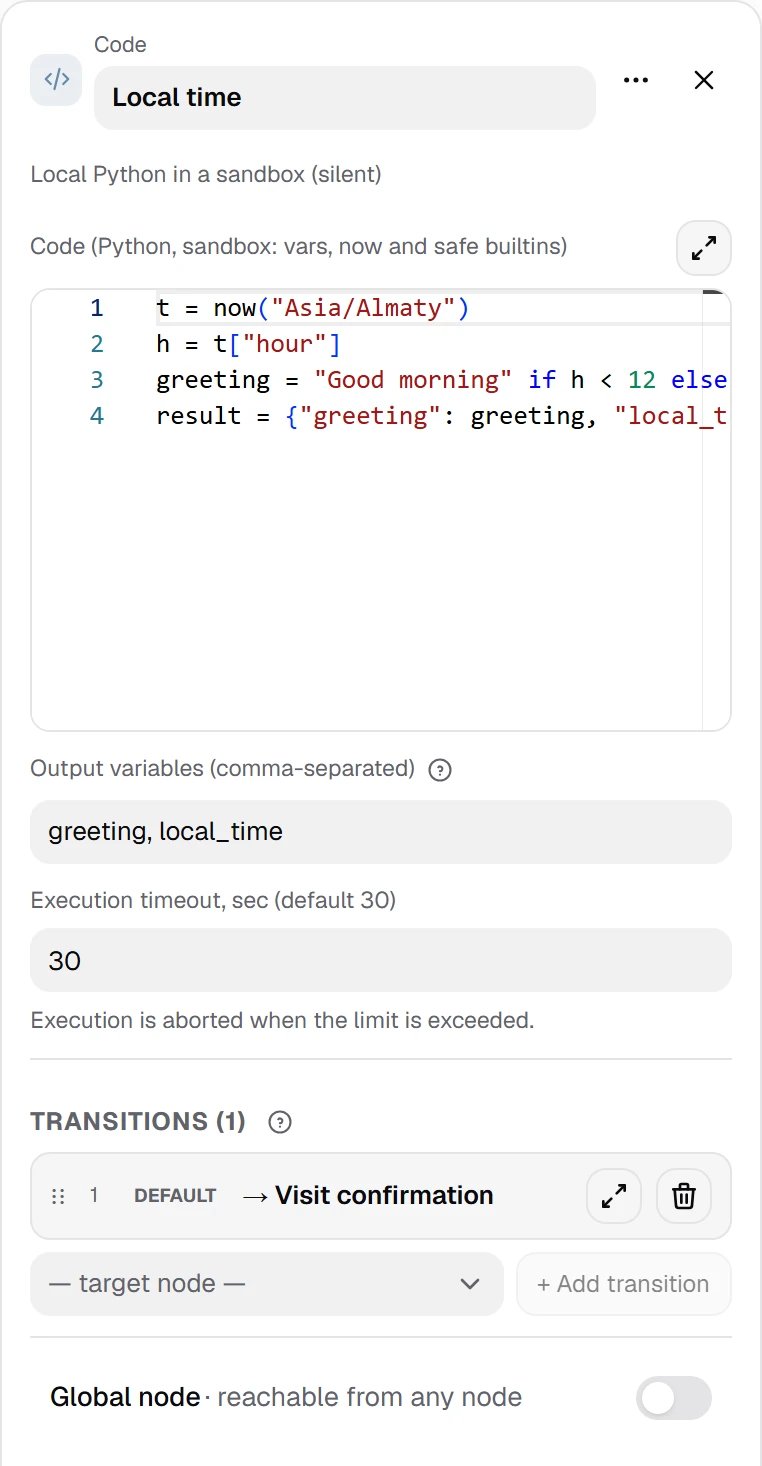
Code is Python in a sandbox: build a string, normalize a phone number, compute a date difference. It reads vars and returns values through result; the variables to pick up are listed in Output variables. The sandbox has no network and no files — for those, use Function.
Show the whole panel
Show the whole panel
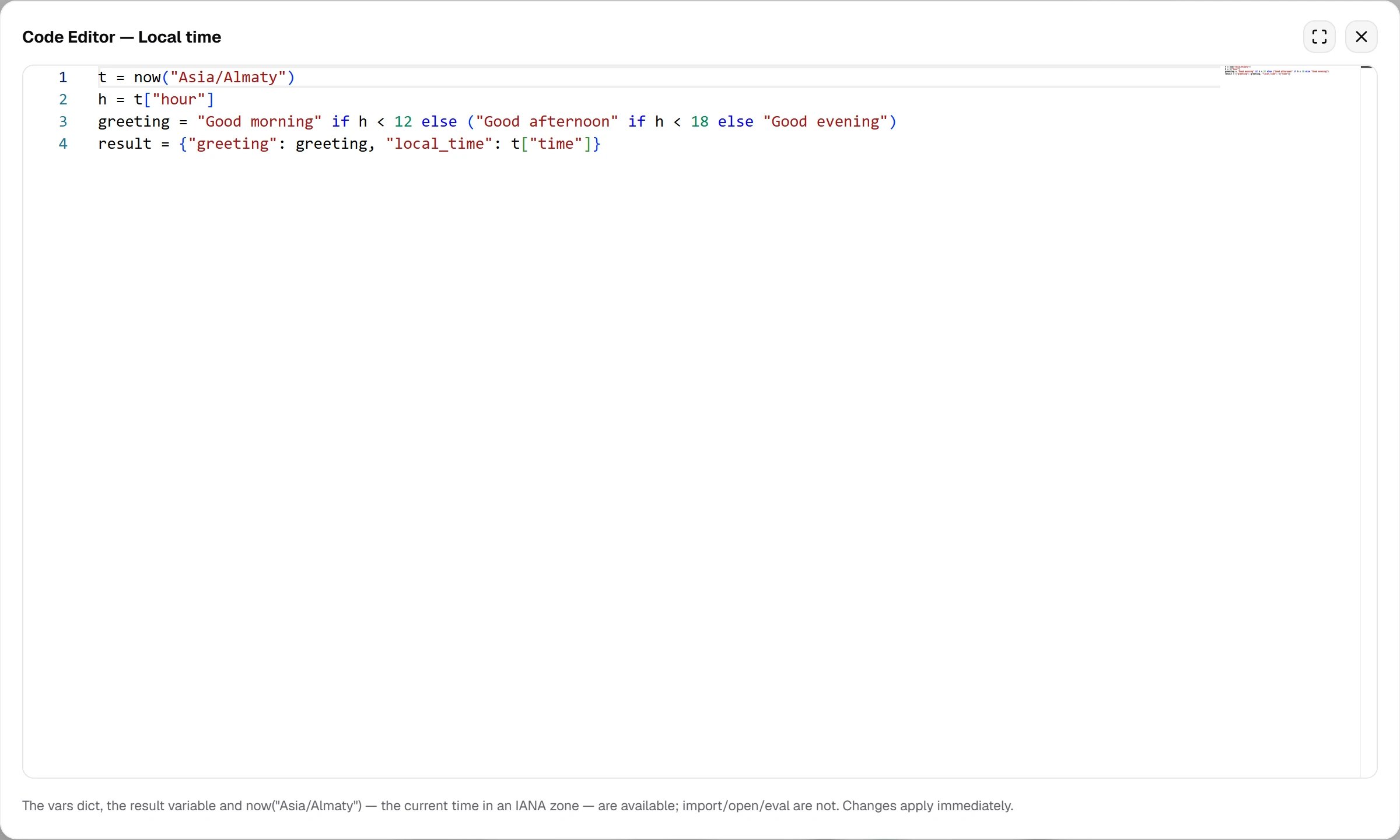
Code with a clock, full screen: the hint at the bottom reminds you what the sandbox has — the vars dictionary, the result variable and now(…). The values from result are listed in Output variables and from then on live as call variables.
now("Asia/Almaty") or now("America/New_York") returns the time in the given IANA zone as a dictionary — date (YYYY-MM-DD), time (HH:MM), hour, minute, dow (1–7, Monday first), iso, epoch and the rest. The zone is required: now() without an argument or with an unknown zone is an error and leaves through the node’s error branch. import datetime does not work in the sandbox, so this is how you ask “what time is it” — no external time service is needed. And to simply name the date or time of the call you do not need Code at all: the ready-made {{call_date}} and {{call_time}}, or their US forms {{call_date_us}} and {{call_time_us}}, are enough.
vars, result and now belong to the sandbox itself — a result variable cannot be named like that, it would always stay empty. The validator warns about it rather than blocking publication.